- Valve’s new Steam Controller has fans excited despite its older version being a flop.
- It improves on all of Valve’s prior mistakes and takes after the Steam Deck’s layout.
- The new Steam Controller has multiple touchpads, dual joysticks, and rechargeable batteries.
Steam came out with an unexpected announcement earlier this month, revealing a new era of Steam Hardware to accompany the Steam Deck. While the biggest story of these was the Steam Machine, the other reveals weren’t any less amazing.
The Steam Controller, one of the reveals, is the new and updated version of Steam’s previous try at creating one. Despite the first Steam Controller being hated by the gaming community, the new one has had an excellent reception. From more space to joystick improvements, these are the things Valve’s Steam Controller does right.
More Space For Controls
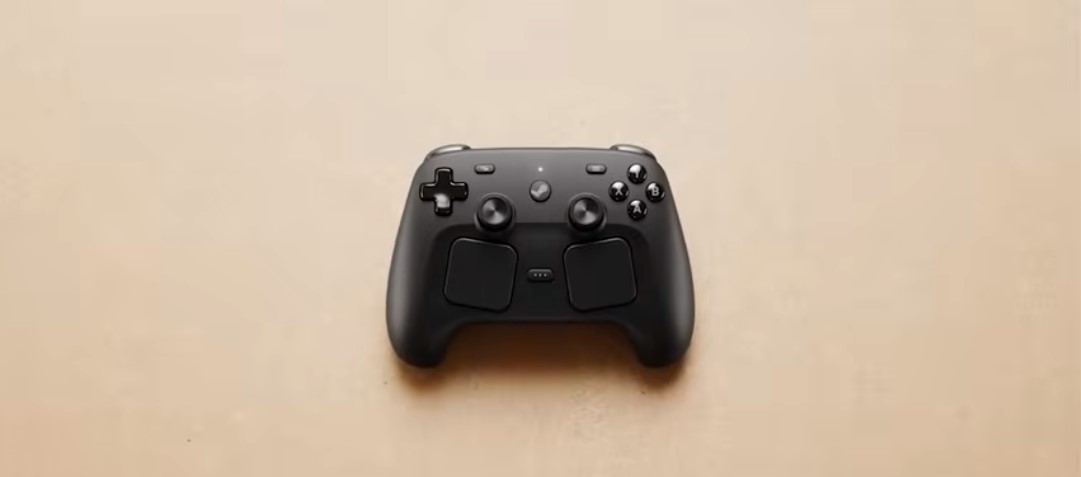
A lot goes into designing every controller. A controller made for general use should have a d-pad, four action buttons, triggers, two joysticks, and additional buttons for non-gaming features.
This is doable for the most part, but wanting to add a trackpad means you either have to increase the size of the controller or replace an existing feature.
Unlike the older version, which removed a joystick to fit the trackpad, the new Steam Controller simply increases its size. This lets Valve fit everything in and use the extra space for two trackpads, something they’ve tested with great results in the Steam Deck.
The Steam Controller now has enough space for all its controls and still doesn’t feel too big, already being smaller than any handheld.
Two Joysticks This Time, Fortunately

Partially due to the space restraints, Valve opted to replace the right joystick with its trackpad in the old Steam Controller. This was supposed to be an improvement, with the trackpad being a better alternative and letting you have more control over your aim, like a mouse.
Even if this had worked in FPS games, which it didn’t, shooters are not all that you’d want to play. Trackpads in general give a significantly worse feeling if you’re playing a platformer or a puzzle game, and Steam’s trackpad wasn’t even a good one.
The new Steam Controller has both of its joysticks and two touchpads, letting you use whichever controls you like better. This makes the Steam Controller good for all kinds of games, not just shooters.
Improved Trackpad
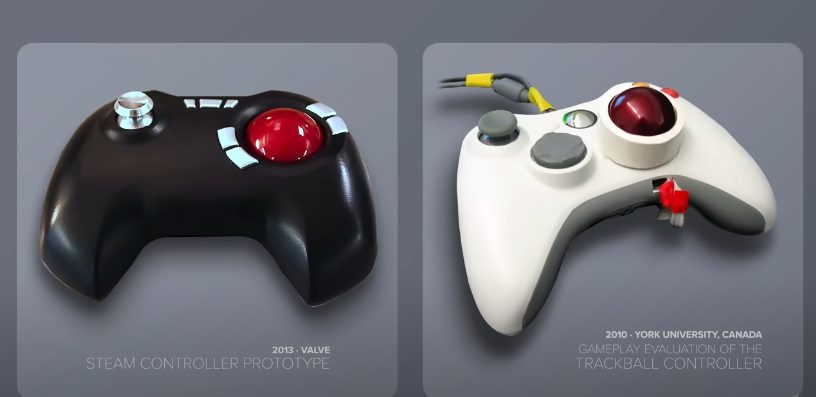
The main selling point of the original Steam Controller was the trackpad. The intent was to provide an experience simulating how it feels to use a mouse and keyboard, specifically when playing FPS games that require precise control.
As I already mentioned above, this didn’t work as intended. The space given to the trackpad wasn’t enough, despite it taking up a majority of the controller, due to unoptimized control.
Another issue caused by this was configurability and symmetry. If you wanted to use the left side of the controller for aiming, you couldn’t make use of the touchpad. Similarly, if you wanted to use an analog on the right side, there was no way to do so.
This time, though, the controls have full customizability. Additionally, you’re no longer forced to use it; the Steam Controller functions perfectly even without the trackpads.
Rechargeable Batteries
While not at the forefront of reasons the controller failed, the original Steam Controller also used AA batteries. This meant that you weren’t able to recharge them, forcing you into buying new ones whenever they ran out.
The intention behind this was to increase the controller’s longevity. Another reason was to make it more affordable, since making each controller rechargeable would be more expensive per unit.
The batteries did last a few months, on average, as Valve advertised, but I’d still take anything that I can charge over temporary batteries.
The new Steam Controller has a unique magnetic “Puck” that works both as a cable and a charger. This fixes the battery issue while being even smoother than other controllers, not requiring you to plug a cable into a slot.
Is The Steam Controller Better Than Other Controllers?
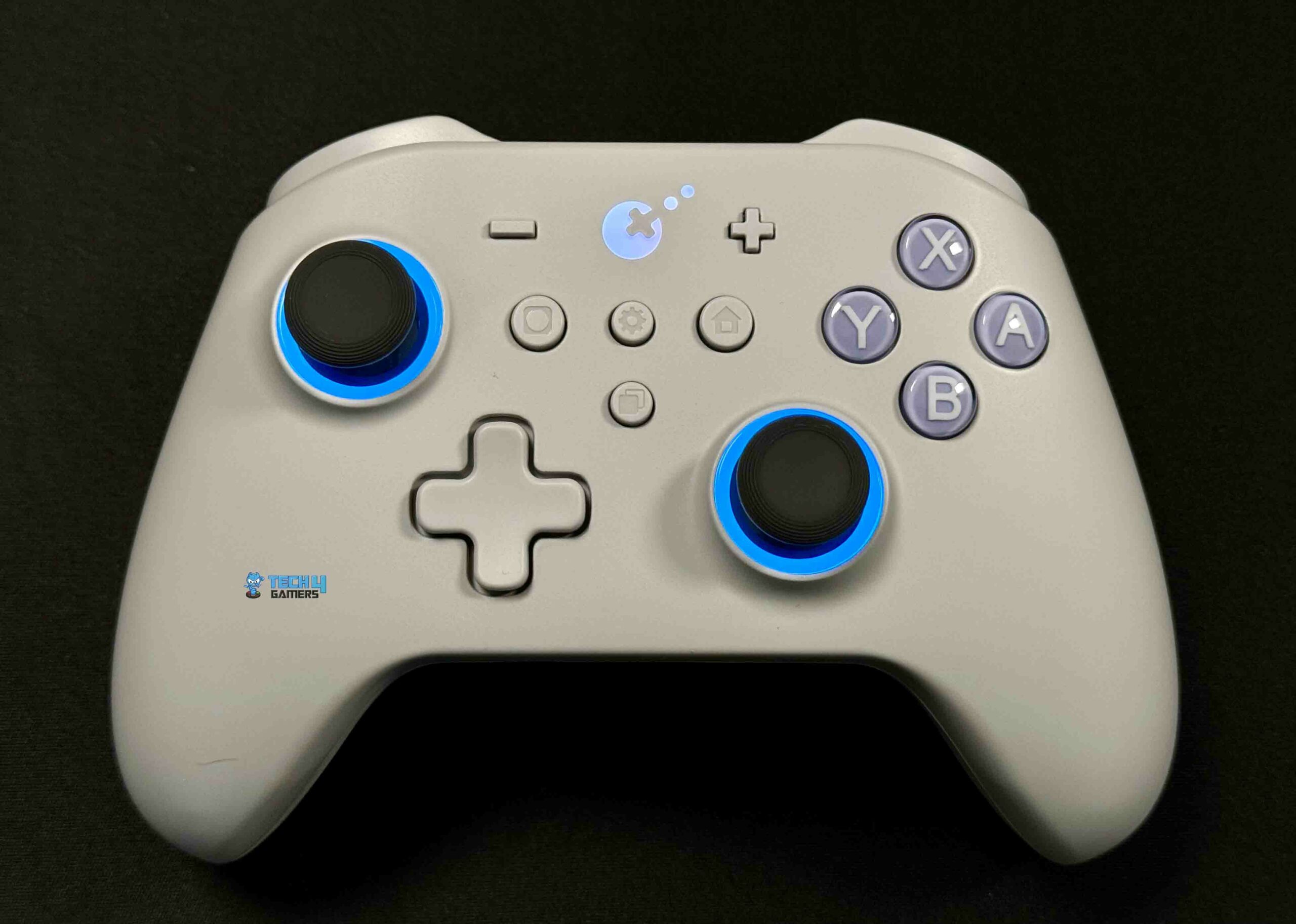
The Steam Controller has a lot of features that give it an edge in certain areas. Whether or not it’s better is different for everyone, though. Sometimes, holding a controller you’re used to can feel better than anything else.
For me, I’ll be using it for most games. It doesn’t feel all that different from any other controller, and it saves me the trouble of switching between a controller for platformers and a mouse for shooters.
Thank you! Please share your positive feedback. 🔋
How could we improve this post? Please Help us. 😔

Heya, I’m Asad (Irre) Kashif! I’ve been writing about anything and everything since as far back as I can remember. Professionally, I started writing five years ago, working both as a ghostwriter and writing under my own name. As a published author and a council member in Orpheus, my journey in the world of writing has been fulfilling and dynamic.
I still cherish the essays I wrote about my favorite PS2 games, and I’m thrilled to have transformed my passion for game journalism into a career. I’m a theory crafter for Genshin Impact (and now Wuthering Waves) and have a deep love for roguelites and roguelikes. While I prefer indie games for their distinct aesthetic and vibes, I do enjoy triple-A games occasionally. I’ve also been playing League since season 6, and I main Akali! I have a keen interest in discovering and playing more obscure games, as well as researching forgotten titles. Additionally, I am a front-end programmer who dabbles a bit in gamedev occasionally.
 Join Our Community