Threads
Maximum Control!
Review Summary
The Corsair MAKR PRO 75 is a premium 75% Hall Effect keyboard aimed at users who want both enthusiast-level build quality and competitive gaming performance. With adjustable actuation from 0.1mm to 4.0mm, an 8,000Hz polling rate, and features like Rapid Trigger and FlashTap SOCD handling, it offers precise control over how keys behave during gameplay. At $249.99, it sits firmly in the high-end segment. However, for users who value extensive customization, it delivers a well-rounded flagship keyboard experience.
Hours Tested: 1 Week

Overall
-
Design - 9.5/10
9.5/10
-
Build Quality - 9.5/10
9.5/10
-
Performance - 10/10
10/10
-
Typing Experience - 10/10
10/10
Pros
- Premium design and colorway
- Excellent build quality
- Hall Effect magnetic switches
- Smooth linear typing experience
- Flexible software options
Cons
- High price
- Wireless capability costs extra
- LCD module is an additional purchase


A few months ago, I had the chance to review the Corsair MAKR 75, which was a DIY keyboard. I still remember sitting at my desk with parts spread out in front of me. A case on one side and a plate on the other. Switches lined upwaiting to be pressed in. It wasn’t just another keyboard review. It felt like a small project. Building it from scratch was honestly a lot of fun. There’s something unique about DIY keyboards. So when I found out I’d be reviewing the Corsair MAKR PRO 75, I got excited again right away.
This time, though, things were a bit different. The Pro version arrived pre-assembled. So, I missed out on the fun of snapping pieces together. And to be honest, I didn’t mind that. I’ve already built the original MAKR 75. I know how that process feels. So instead of repeating the same steps, I could focus entirely on what matters here: how this Pro version improves, changes, or maybe even rethinks the formula. So in a way, this review feels like a continuation of that first one.
Key Takeaways
- The Corsair MAKR PRO 75 combines Hall Effect gaming performance with enthusiast keyboard build quality. Its aluminum chassis, layered acoustic design, and adjustable actuation switches make it a versatile option for both gaming and daily typing.
- You should buy the Corsair MAKR PRO 75 if you care about premium build quality, want adjustable actuation with Hall Effect switches, and plan to use advanced features like Rapid Trigger and FlashTap SOCD handling for competitive gaming.
- You should skip the Corsair MAKR PRO 75 if you’re looking for a more affordable keyboard, prefer simple plug-and-play functionality without software customization, or want wireless connectivity included out of the box.
Here are the technical specifications:
| Media and Volume Controls | Yes |
| Keyboard Report Rate | Up to 8,000Hz with AXON |
| On Board Memory | 8MB |
| Onboard Profiles | 5 |
| Keyboard Product Family | NA |
| Adjustable Height | Yes |
| Wired Connectivity | USB Type-A |
| Keyboard Connectivity | Wired |
| Keyboard Cable Material | Braided |
| WIN Lock | FN Shortcut |
| Key Rollover | Full Key (NKRO) with 100% Anti-Ghosting |
| Key Switches | CORSAIR MGX V2 |
| Keyboard Layout | NA (North America) |
| Keyboard Warranty | 2 Year |
| Weight | 1.282kg |
What Makes the Corsair MAKR PRO 75 Different?
Compared with competing keyboards from other manufacturers, the Corsair MAKR PRO 75 HE blends two categories that are usually separate. Many Hall Effect keyboards on the market prioritize gaming performance but often skip enthusiast-grade build or customizability. On the other hand, custom keyboard brands tend to emphasize build quality and acoustics but rarely integrate features such as 8,000Hz polling, Rapid Trigger tuning, or per-key actuation control. Corsair’s approach aims to combine both ideas into a single keyboard.
Packaging & Unboxing
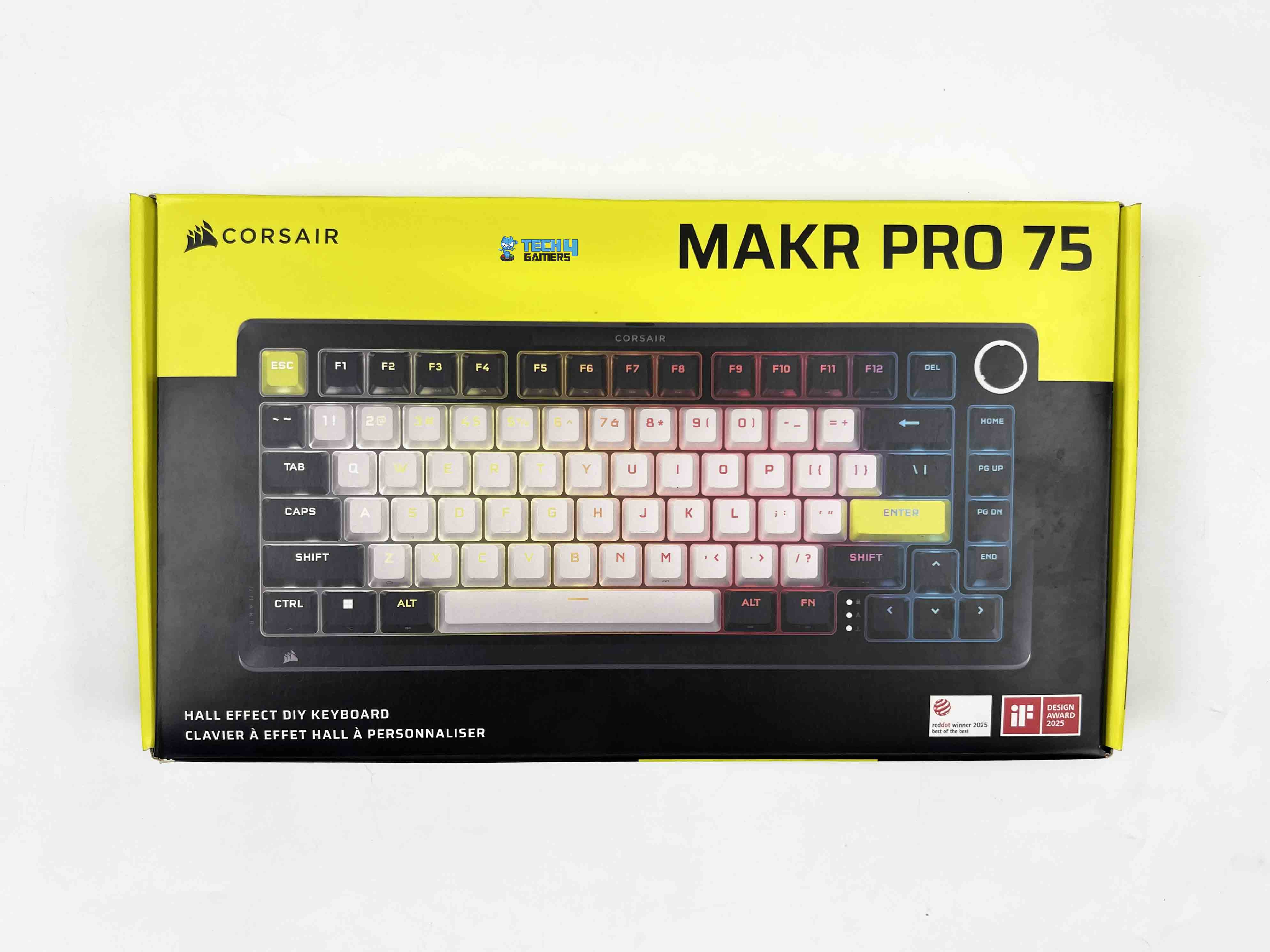
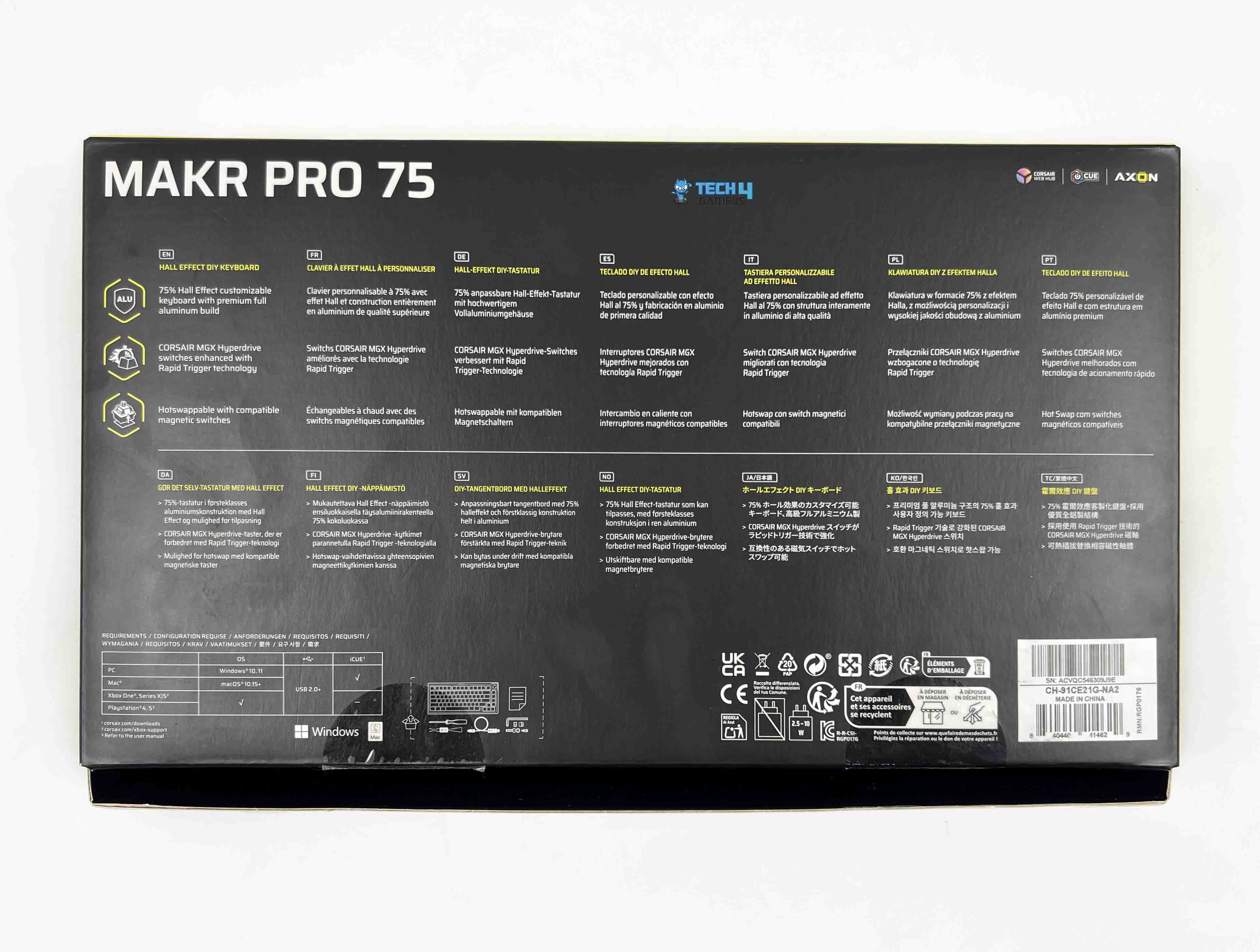
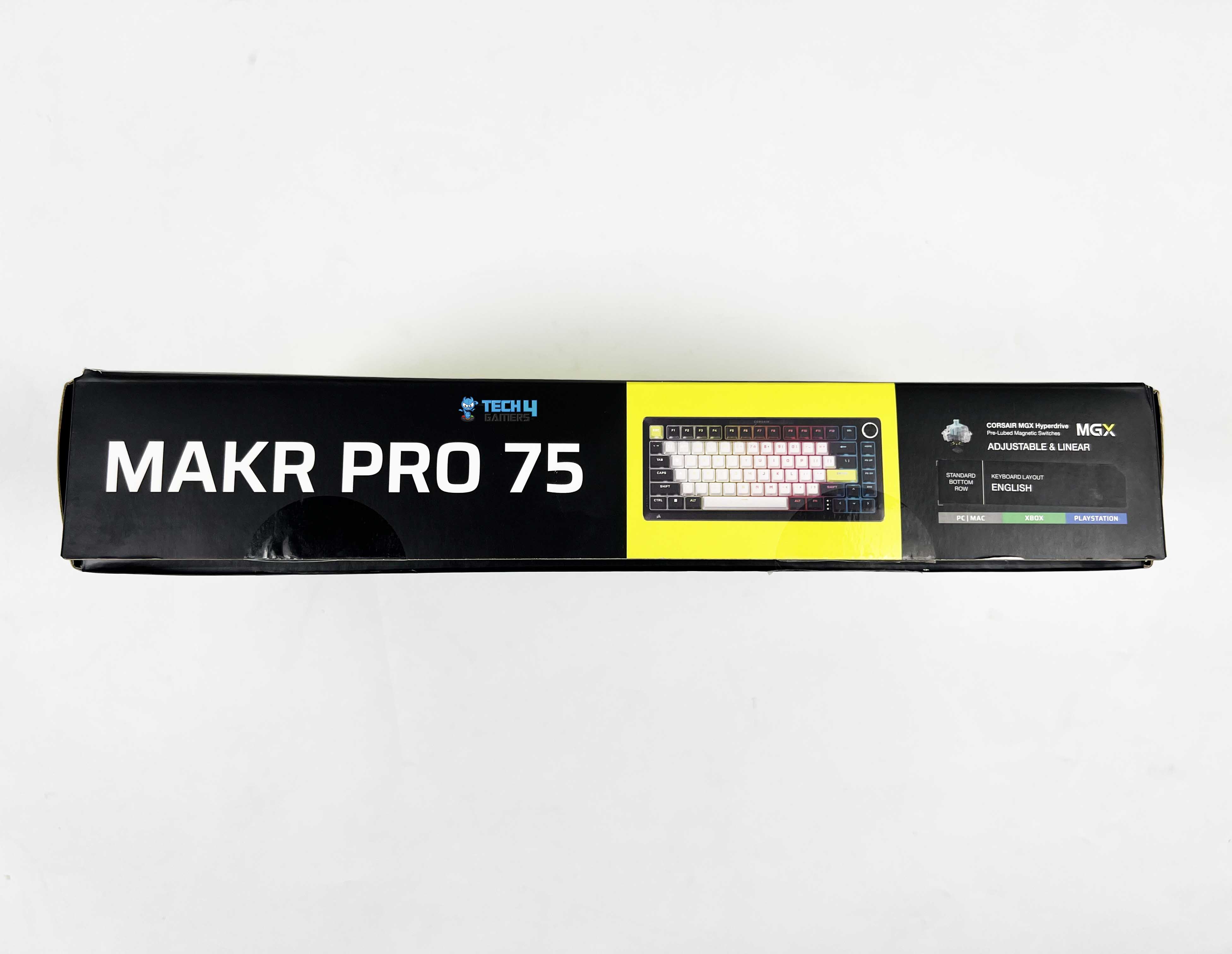
The Corsair MAKR PRO 75 arrives in packaging that feels familiar if you’ve used Corsair products before. At the front, a large image of the keyboard is centered. Corsair branding sits up top along with the model name. At the bottom, you’ll see the Hall Effect DIY Keyboard written out. Flip the box over, and you’ll find a breakdown of the keyboard’s key features. They’re printed in multiple languages. You’ll also see platform compatibility mentioned there.
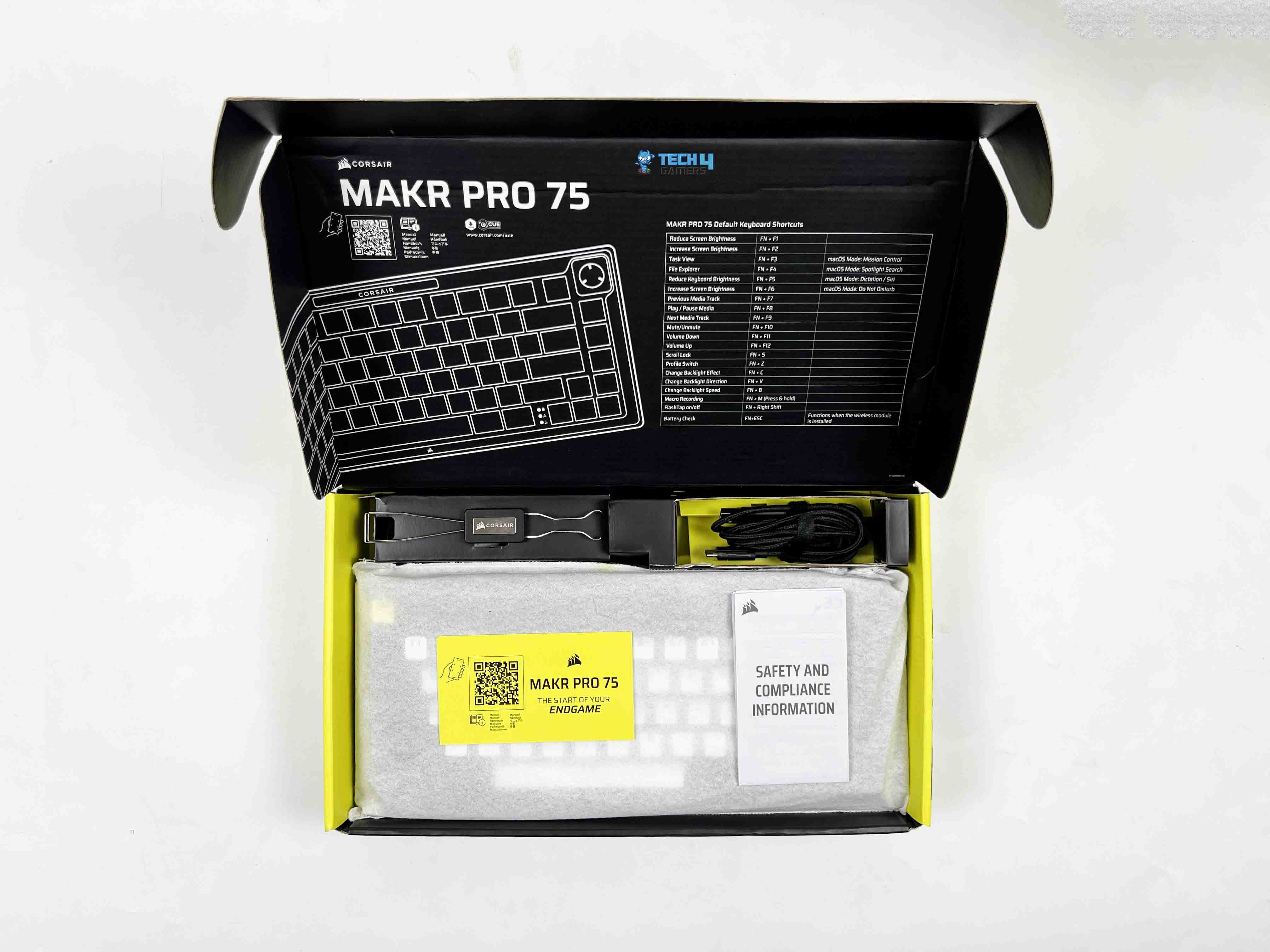
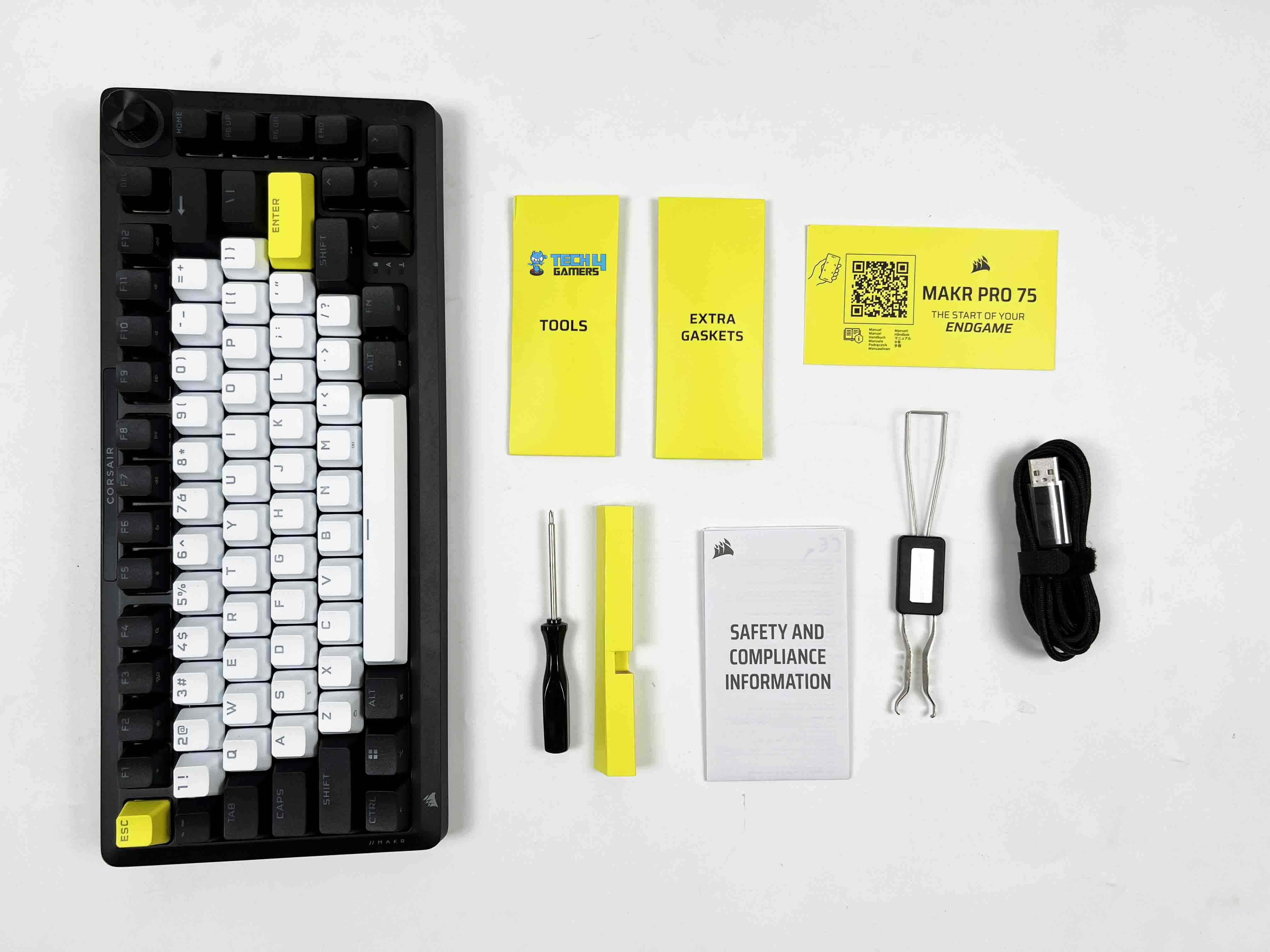
Opening the box, the keyboard is placed at the bottom wrapped in a soft protective sleeve. Above the keyboard, there’s a separate compartment for accessories. The first thing you’ll likely notice is the 2-in-1 key switch and keycap puller. It’s a single tool that handles both tasks, which makes sense for a DIY-focused product. Next to it, there are extra tools and spare gaskets tucked into their own section. You’ll also find a screwdriver included, along with the USB cable.
Design
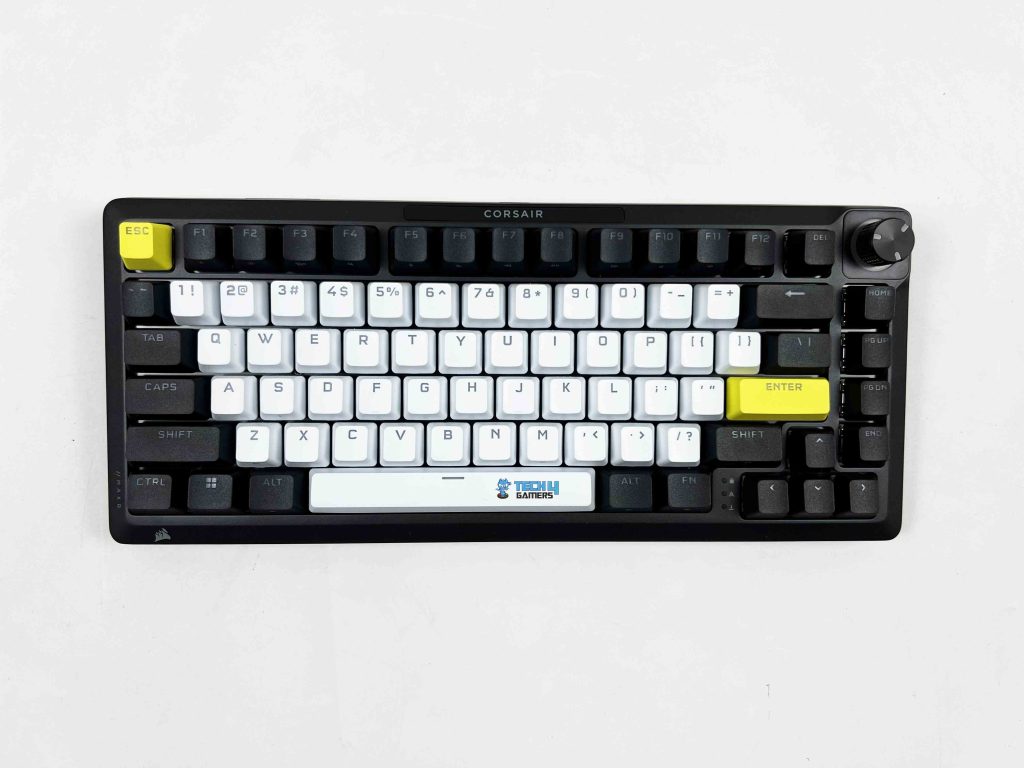
I’ll just say it straight. The Corsair MAKR PRO 75 is one of the best-looking keyboards I’ve had on my desk. Corsair calls this colorway Eclipse, and honestly, that name fits. It’s a mix of black, white, and yellow. That combination could’ve gone wrong very quickly. Instead, it looks good. The contrast between the black and white sections gives the keyboard an elegant look. It doesn’t look random. The yellow Enter and Esc keys break the monotony in a subtle but noticeable way.
They draw your eyes without overpowering the layout. I have a mix of black-and-white peripherals on my desk. White mouse on a black desk mat, with a monitor with thin, dark bezels. So when I placed this keyboard in the center, it didn’t clash with anything. It actually tied the setup together. That doesn’t happen often. Usually, you’re compromising somewhere. One thing worth mentioning is that this design has won major awards, including the iF and the Red Dot Design Award 2025.
Layout
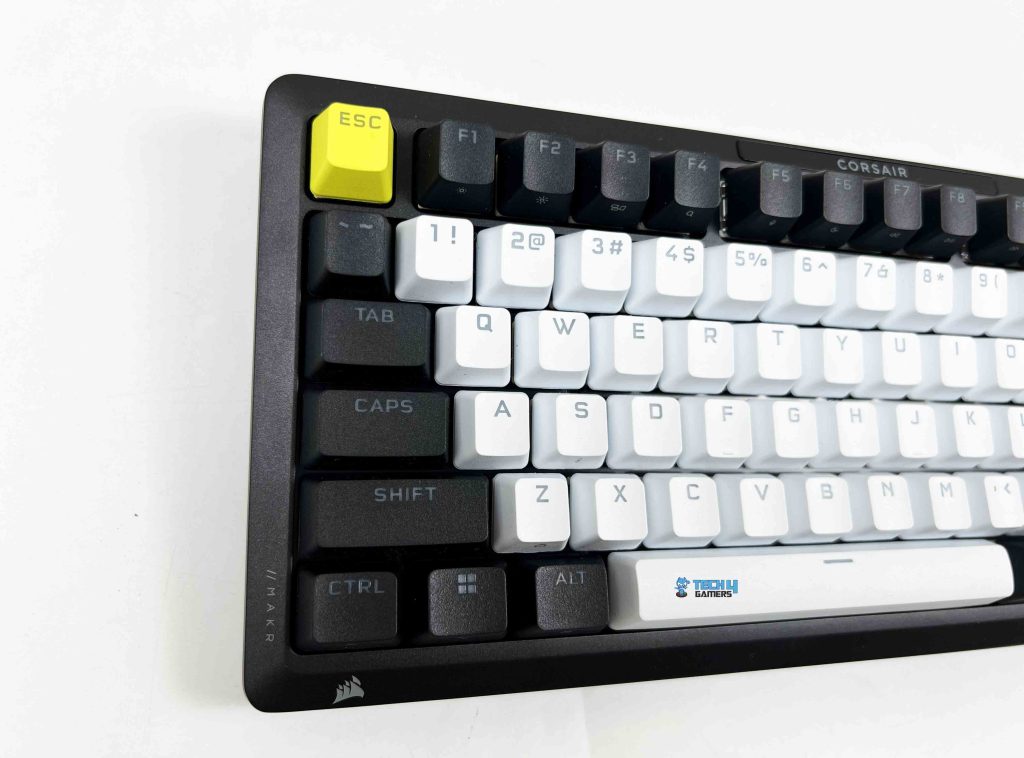
The Corsair MAKR PRO 75 has a 75% form factor. The dimensions are 332 mm long, 145 mm deep, and about 50 mm tall at its highest point. I actually measured it against my desk mat to see how much space it took up. It leaves a significant gap on both sides compared to a full-size keyboard. You don’t get a numpad, as that space is gone.
In its place, you get a tighter footprint that pulls your mouse closer to the keyboard. I noticed that immediately during longer gaming sessions. My right arm didn’t stretch as far out as it usually does with a full-size board. It’s compact without looking cramped. The arrow keys are separated just enough from the main typing block to be found by touch. On the right side, the navigation keys are stacked vertically.
Rotary Dial
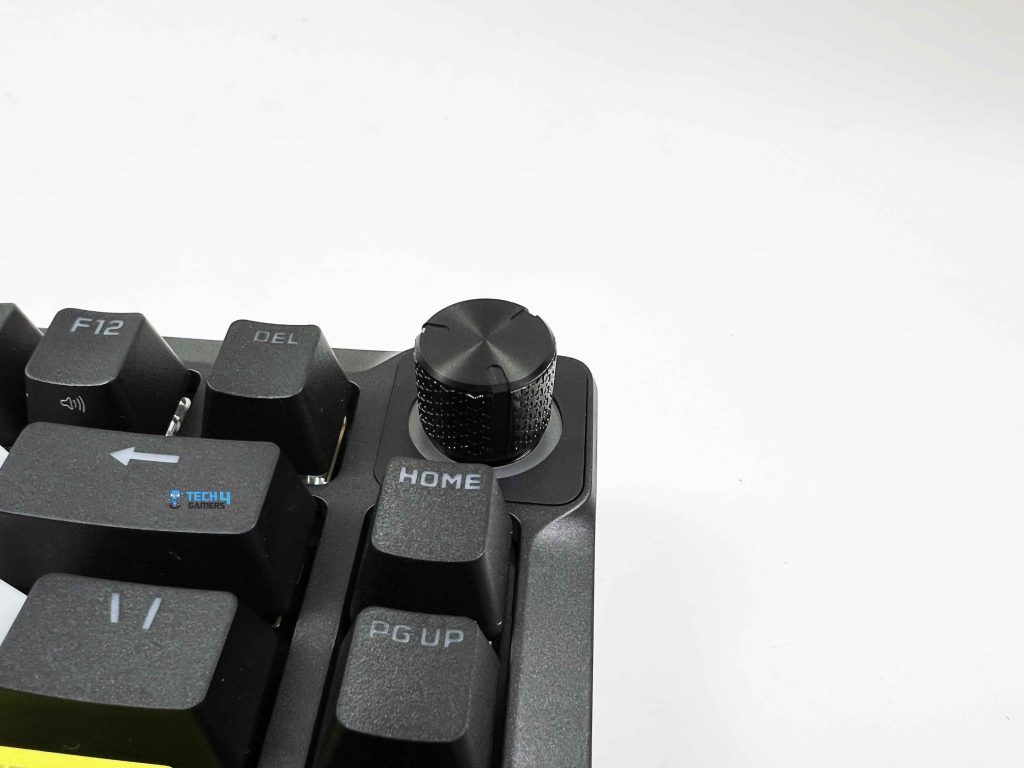
The Corsair MAKR PRO 75 has a rotary dial placed in the top-right corner. By default, it controls volume, which is how I tested it first. When you spin it, the resistance feels just right. It clicks through each step in a way that’s tactile without being noisy. You can feel each notch under your fingertip. That’s the kind of detail you don’t often notice until it’s wrong, and here it isn’t.
The rotary dial also has multiple modes that you can cycle through by holding it for about 2 seconds. For enthusiasts, there’s also the option to replace the dial with a vibrant 1.3-inch LCD module. This module lets you monitor system stats if you like seeing real-time info, such as CPU usage. It’s priced at $49.99, and honestly, whether it’s worth it is up to you.
Underside
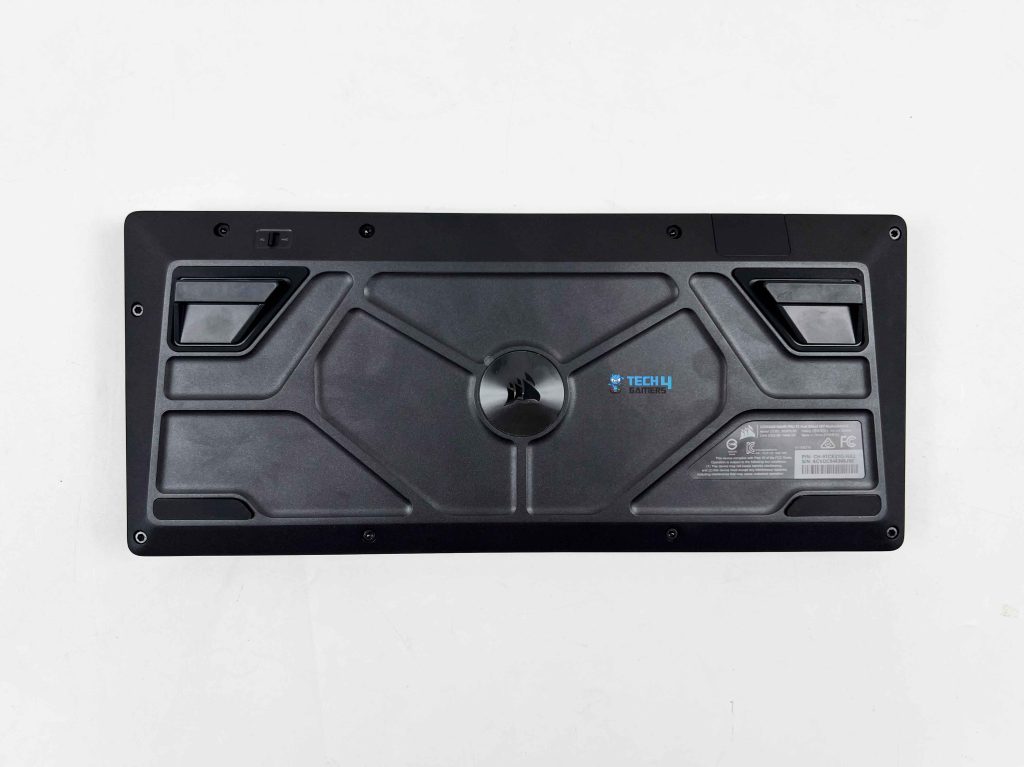
Flipping the Corsair MAKR PRO 75 over shows subtle Corsair branding right in the center. Around that, the surface isn’t just flat plastic. There is a series of raised lines and patterns running across the panel. They don’t serve a mechanical purpose, really, but they make the underside look more considered. There are four rubber feet, one on each corner, but not all are made the same.
The bottom two are wide and simple. They sit flat against the desk and do a solid job of keeping the keyboard from sliding. The top two feet have a unique shape. They’re designed to work with the keyboard’s magnetic height adjustment system. Instead of traditional flip-out risers, the keyboard uses magnetically secured feet. These attach to the bottom plate, providing the keyboard with a slight, comfortable typing angle.
Build Quality
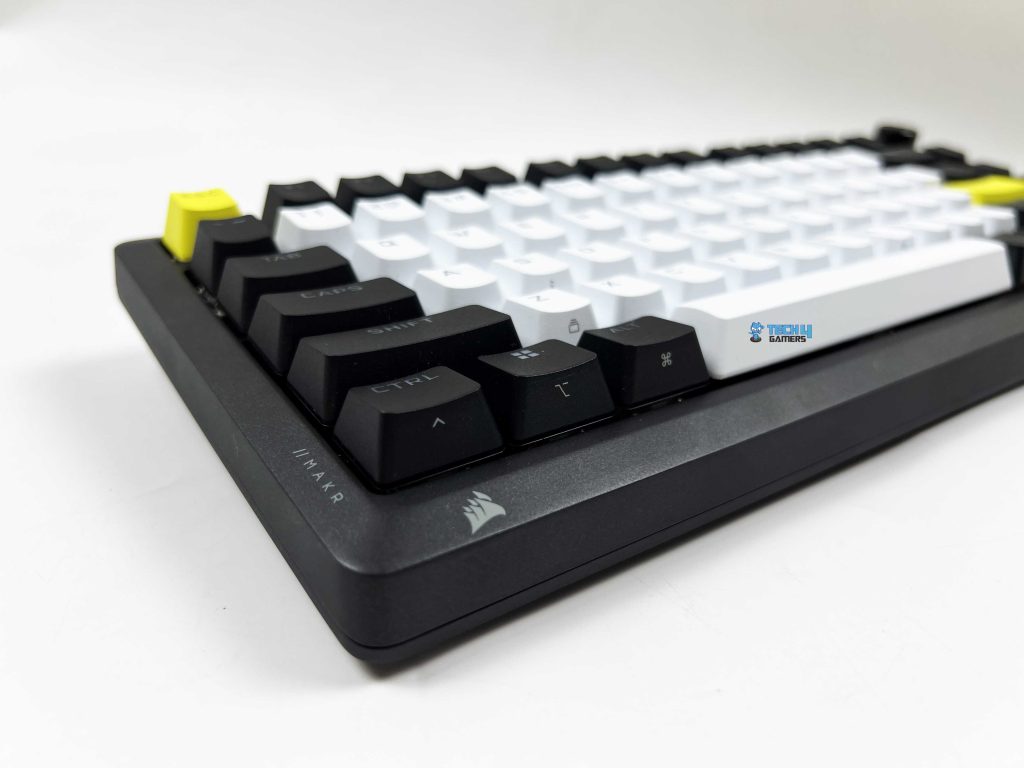
The first thing you notice when you pick it up is the weight. The Corsair MAKR PRO 75 weighs 1.3 kg, and that number feels accurate the moment it leaves the desk. It’s not absurdly heavy, but it’s dense. I tried applying pressure near the corners and around the function row. There’s no hollow sensation and light plastic flex. Even twisting it slightly with both hands doesn’t produce creaks. It feels solid in your hands. Both the top cover and the bottom case are made from full aluminium.
That changes the experience immediately. When you tap the chassis with your knuckle, you get a muted, firm sound rather than a thin echo. The aluminium top frame feels rigid, and the bottom, also aluminium, adds to that sense of density. Some keyboards use a metal top and a plastic bottom. You can usually feel the difference right away. Here, the consistency between top and bottom makes the structure feel unified. There’s a certain cohesiveness to it.
Keycaps
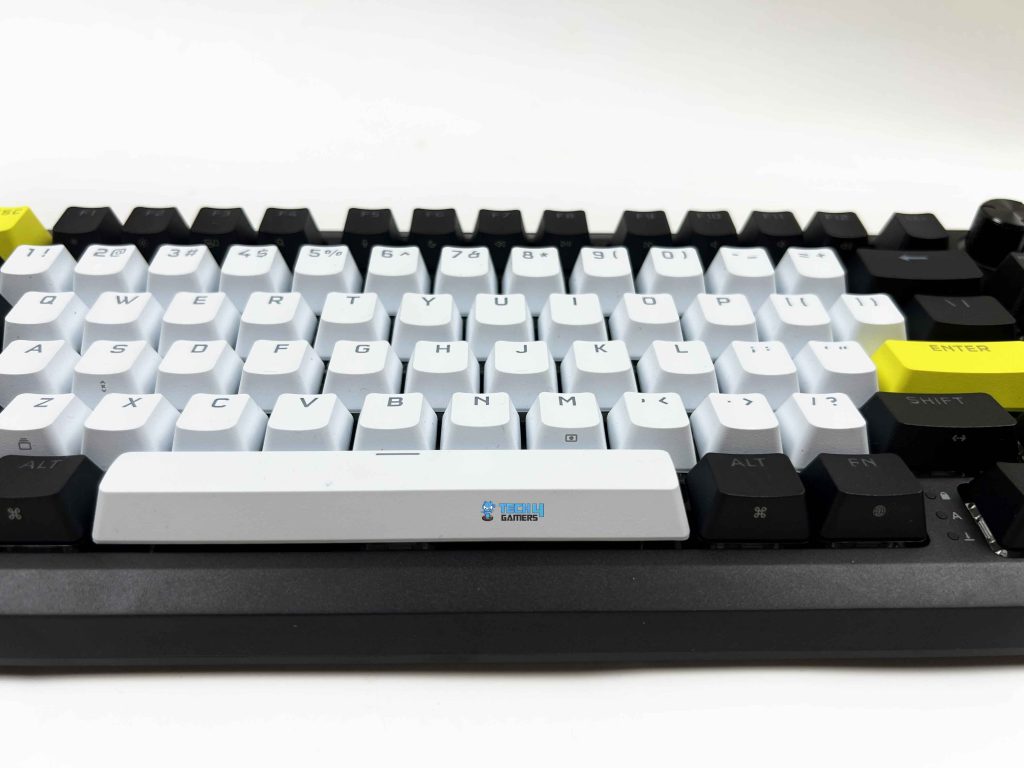
The Corsair MAKR PRO 75 uses PBT double-shot keycaps. PBT has a slightly drier texture and a soft grain. When you run your finger across the surface, the keycaps don’t feel slick. After a few weeks of use, I checked for shine. Especially on the spacebar. That’s usually the first to give it away. So far, nothing dramatic. The profile is OEM with medium height, and there is a slight sculpt from row to row. Your hands don’t sit flat as they rest in a slightly arched position.
Each row sits at a different angle, so your fingers follow a natural curve as you move from the number row down to the spacebar. The double-shot construction means the legends aren’t printed on top of the keycaps. They’re molded as a second layer of plastic inside the keycap. You can’t scratch them off. Even if you try scratching at the legend with a fingernail, nothing fades. That’s reassuring if you plan to keep the keyboard for years.
RGB Lighting
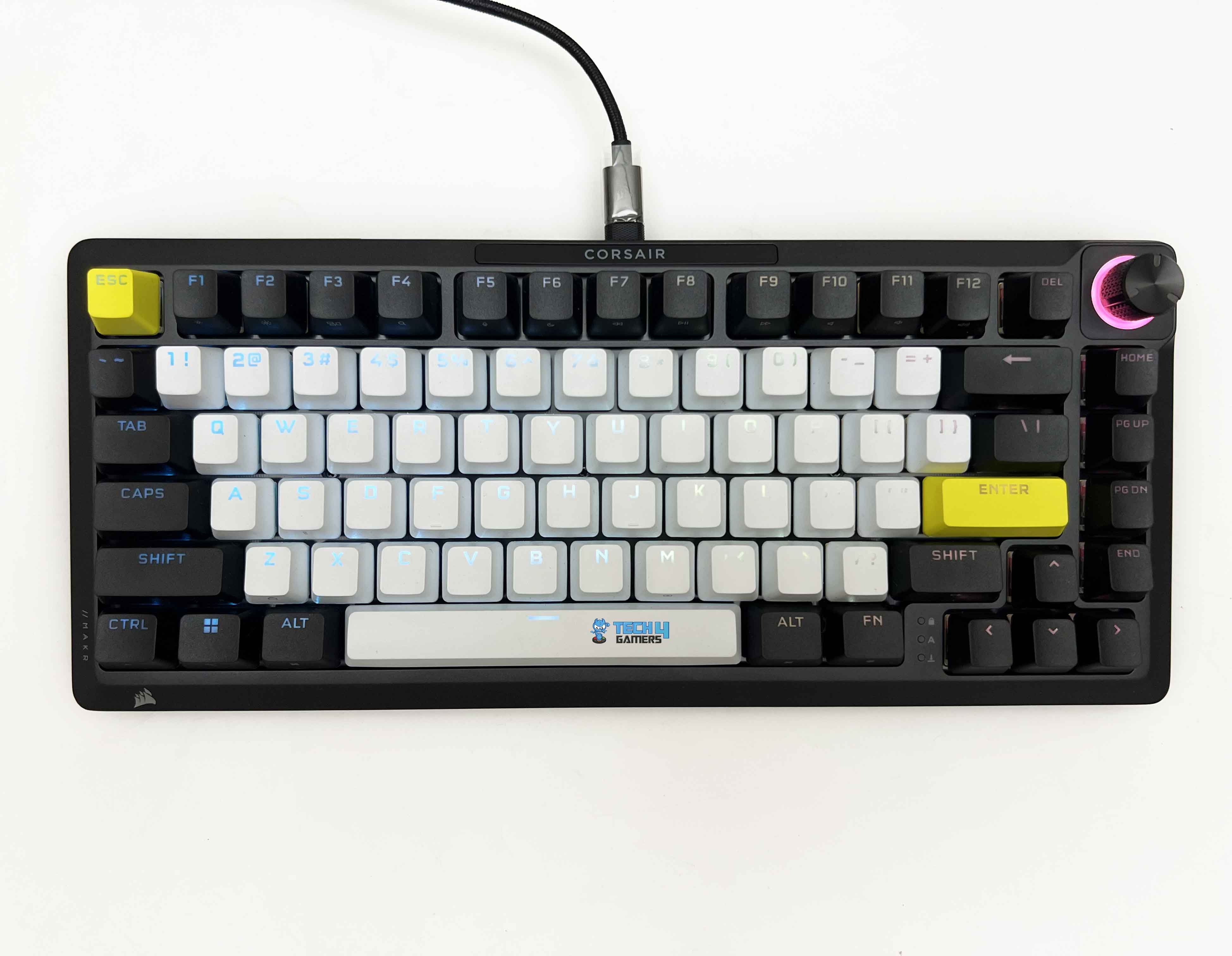
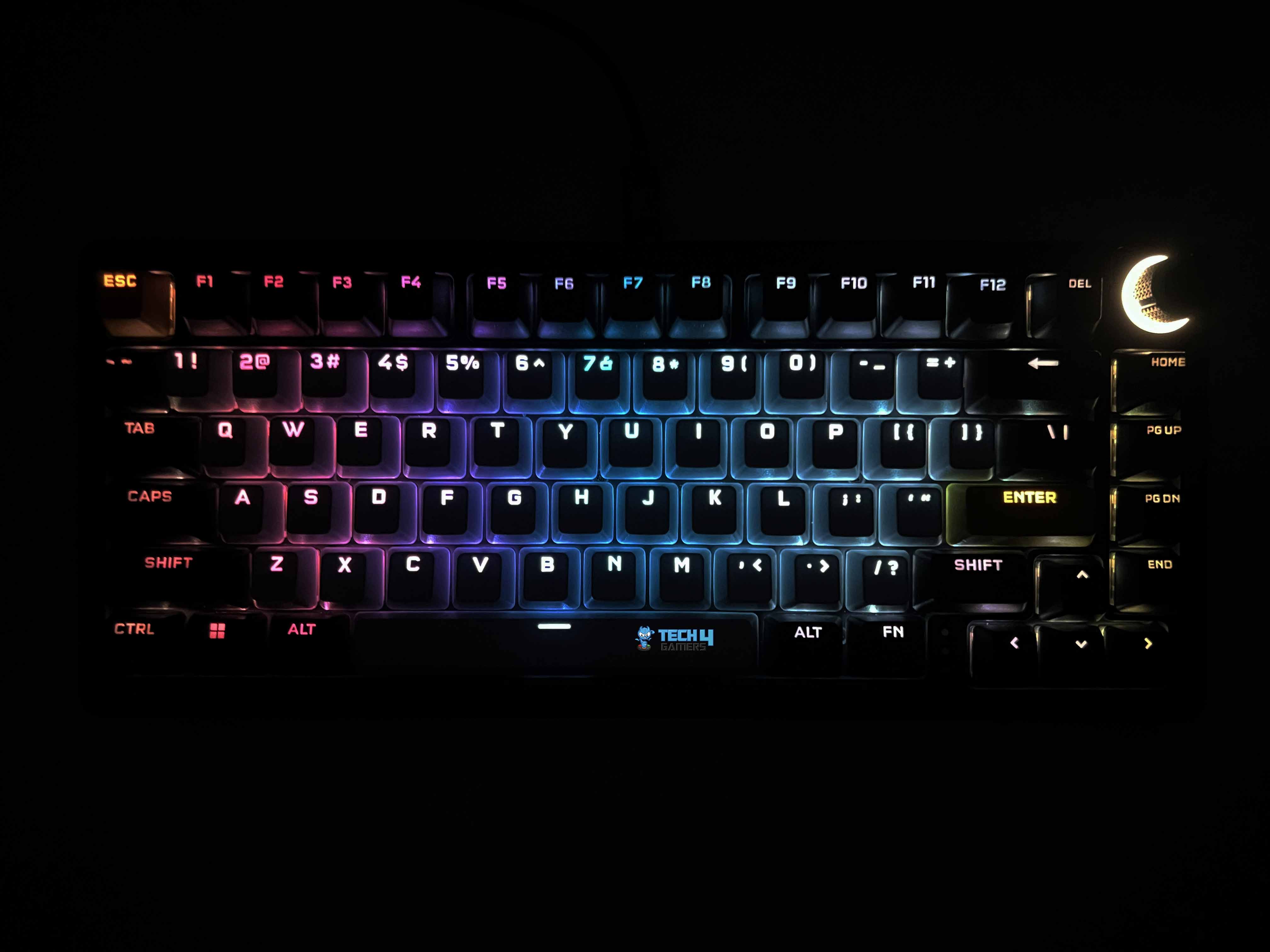
I kept the RGB on the entire time I was testing the Corsair MAKR PRO 75 because it looked that good. This keyboard uses individually LED-lit keys, and each key is fully programmable. When you set different colors across the layout, the separation looks clean. You can isolate just the arrow cluster or highlight only WASD. Because it’s full RGB, you’re not limited to preset tones. You can dial in almost any color you want. The transitions between colors are smooth.
Brightness is sufficient to remain visible in daylight. I have a window to my left, and even with natural light coming in, the legends remain readable. The white keycaps reflect more light, so colors look slightly more vivid there. The black keycaps absorb more light, giving the layout a layered appearance when mixed-color effects are used. The PBT double-shot legends glow sharply since light passes through cleanly.
Switches
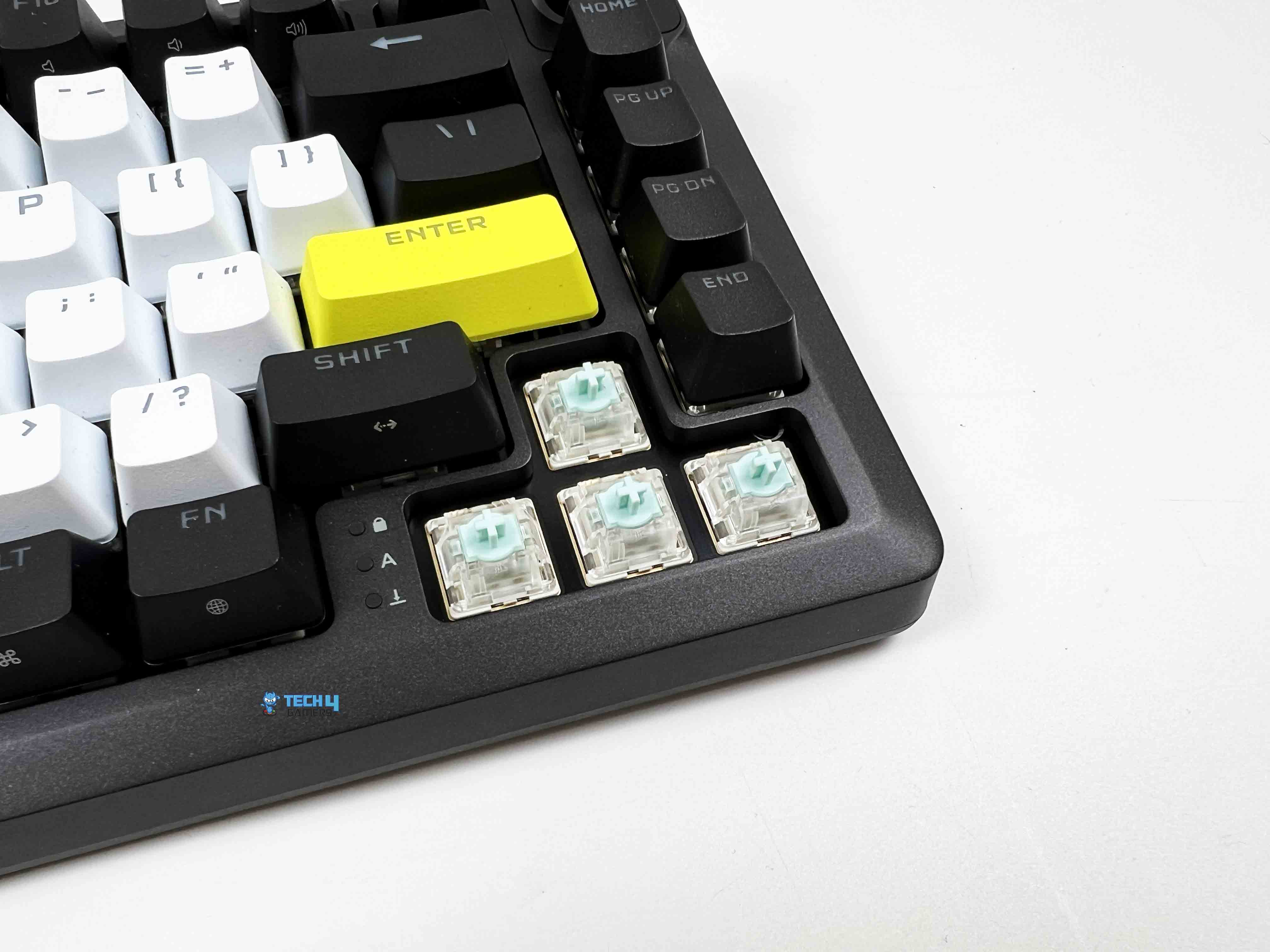
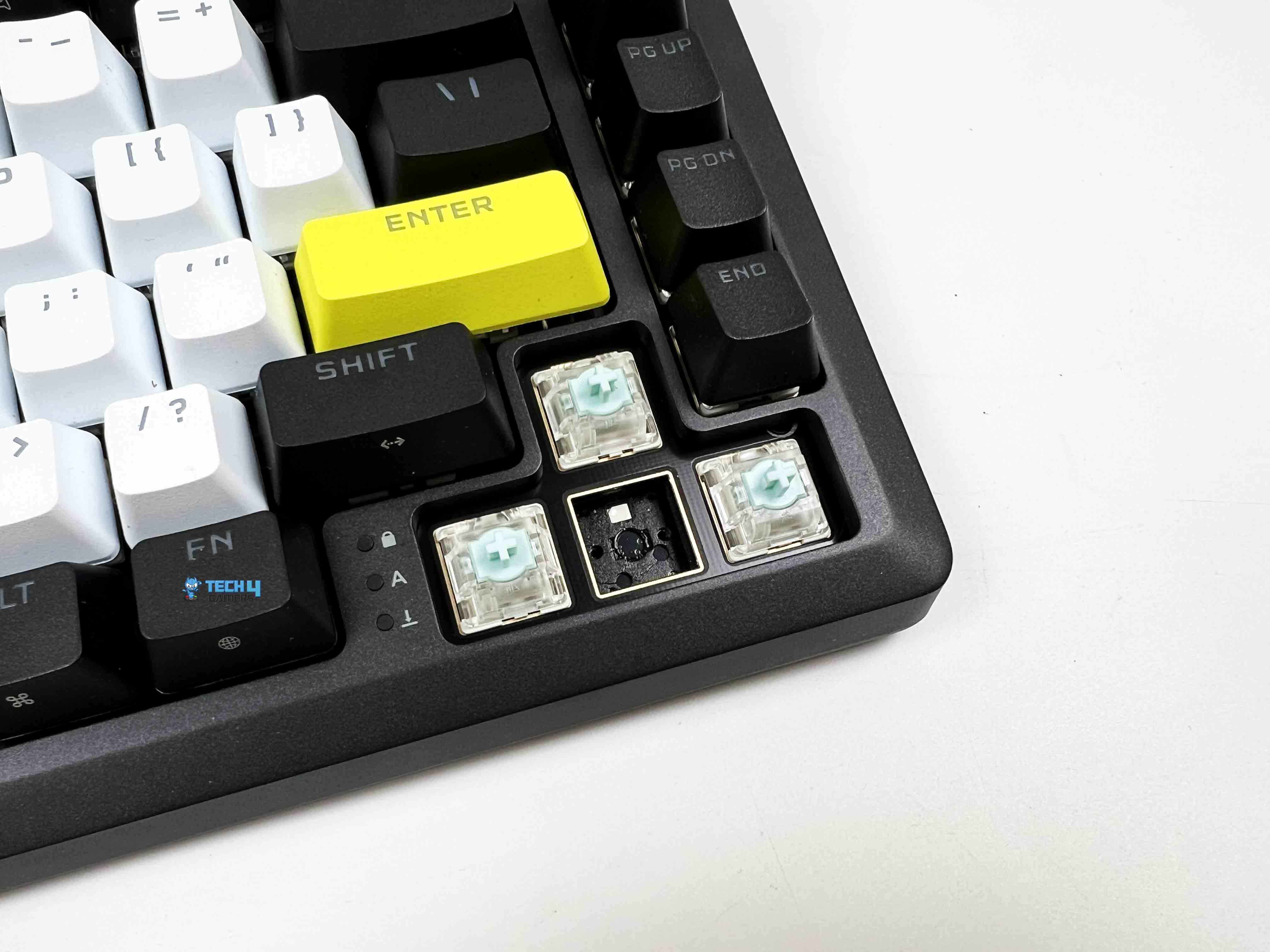
The Corsair MAKR PRO 75 features MGX Hyperdrive magnetic switches. So right away, we’re in Hall Effect territory. Out of the box, they feel like regular linear switches with smooth presses and no tactile bump. If you didn’t know they were magnetic, you could type on them for a while and assume they were just well-lubed linears. And yes, they are pre-lubricated from the factory. You can easily feel it. There’s no scratchiness even during slow presses. I deliberately pressed a few keys as slowly as possible to check for friction.
The travel feels clean from top to bottom, with a total travel distance of 4.1mm. So you get a full, traditional depth if you bottom out your keys. The actuation distance is adjustable anywhere between 0.1mm and 4.0mm, and you can tweak it in 0.1mm increments. Its default setting sits at 2.0mm, which honestly feels like a standard mechanical linear. If you’re interested in exploring other keyboards using similar switches, our guide on the best magnetic gaming keyboards covers several alternatives.
Typing Experience
I wrote a few thousand words on the Corsair MAKR PRO 75 before forming a solid opinion. That’s usually how I figure out whether a keyboard actually works for me. At the default 2.0mm actuation, the switches feel familiar. There’s enough travel before the actuation to feel deliberate. My fingers naturally curved across the rows. I didn’t have to adjust my hand position. The sculpted layout keeps your wrists in a comfortable arc, especially with the magnetic feet installed. My hands didn’t feel tired even after several hours of typing.
The sound profile leans controlled. Each keystroke produces a defined, slightly muted tone that doesn’t echo back at you. When typing quickly, the sound blends into a steady cadence. Corsair went with an eight-layer internal stack. From top to bottom, it’s plate foam, then transparent PET backing, IXPE switch foam, a PET film layer, socket foam, PU pad foam, pad foam with another PET backing, and finally a silicon rubber pad at the base. Each layer changes the board’s acoustics in small but noticeable ways.
Connectivity
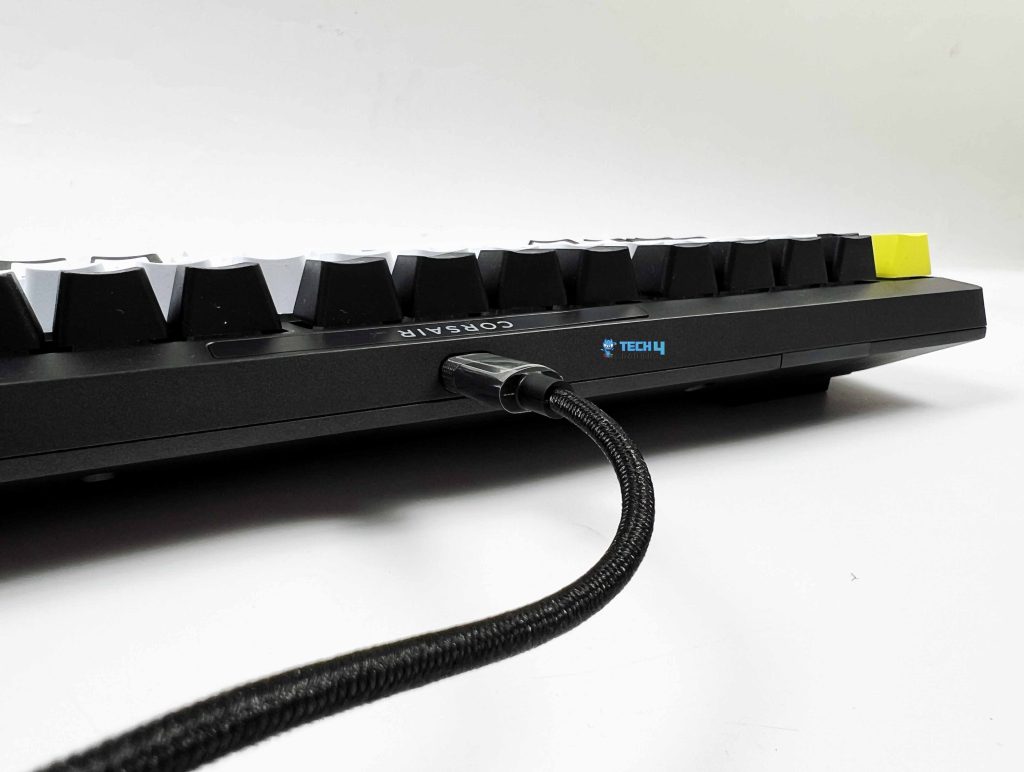
The Corsair MAKR PRO 75 ships wired and offers a simple setup. You get a 1.8-meter USB Type-C to Type-A cable. It’s detachable, thick, tangle-resistant, and finished in black rubber. It feels both durable and flexible. There is a Win/Mac switch tucked under the left side of the keyboard’s underside. It works with consoles as well, including Xbox One, Xbox Series X|S, PlayStation 4, and PlayStation 5. Corsair also lets you go wireless, though it’s an extra $79.99.
With the wireless module installed, the keyboard can run untethered for up to 50 hours, as per the company’s claims. You can choose between 2.4GHz for low-latency gaming or Bluetooth for easy pairing with laptops and other devices. I haven’t tested the wireless module yet, but on paper, it gives you the freedom to move the keyboard around without compromising performance. If wireless connectivity is a priority in your setup, it’s also worth checking out our roundup of the best wireless gaming keyboards.
Performance
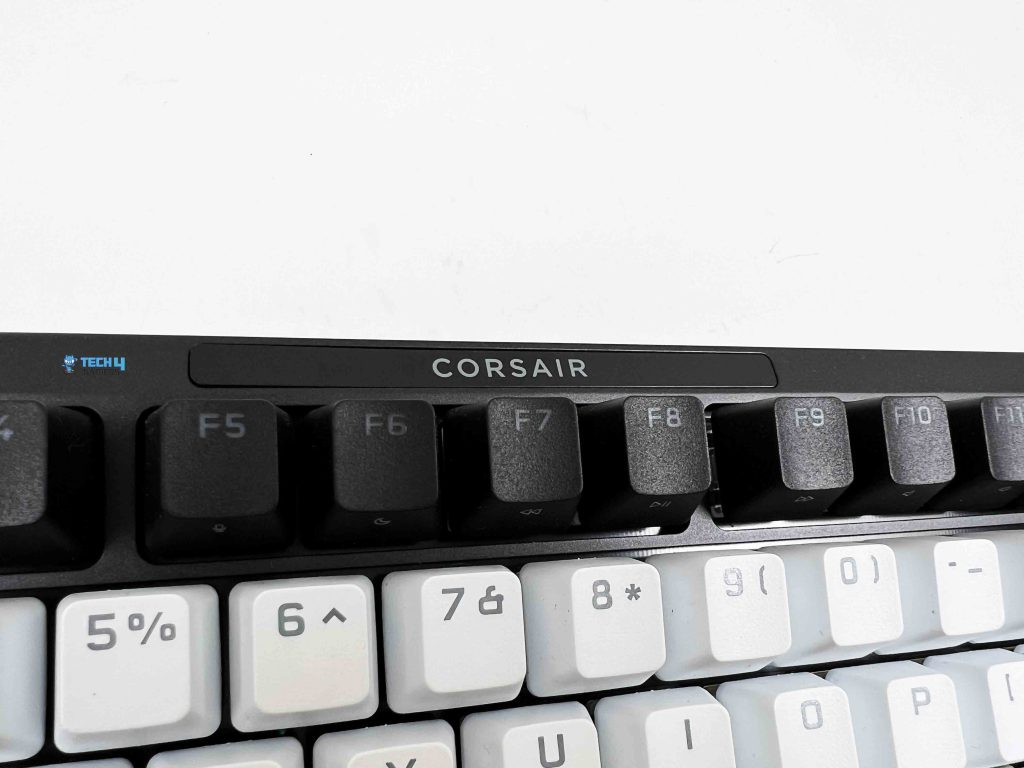
The Corsair MAKR PRO 75 is built around full key rollover, so every keypress is registered, no matter how many you hit at once. Anti-ghosting is 100%, which means even in the most intense gaming moments, there’s no chance of phantom inputs sneaking in. The keyboard supports hyper-polling up to 8,000Hz. That’s not just a fancy number. It means keystrokes are reported to your PC nearly instantly. Corsair’s FlashTap SOCD handling is also included in the features list.
If you accidentally press conflicting keys simultaneously, the keyboard interprets it correctly based on your settings. It’s subtle, but for competitive gamers, it removes little annoyances that can otherwise throw off gameplay. During rapid strafe testing, the keyboard kept up with fast, alternating key presses without missing any inputs. For FPS games like Valorant, the keyboard felt almost instantaneous. Every movement was registered the moment I pressed the key.
Software
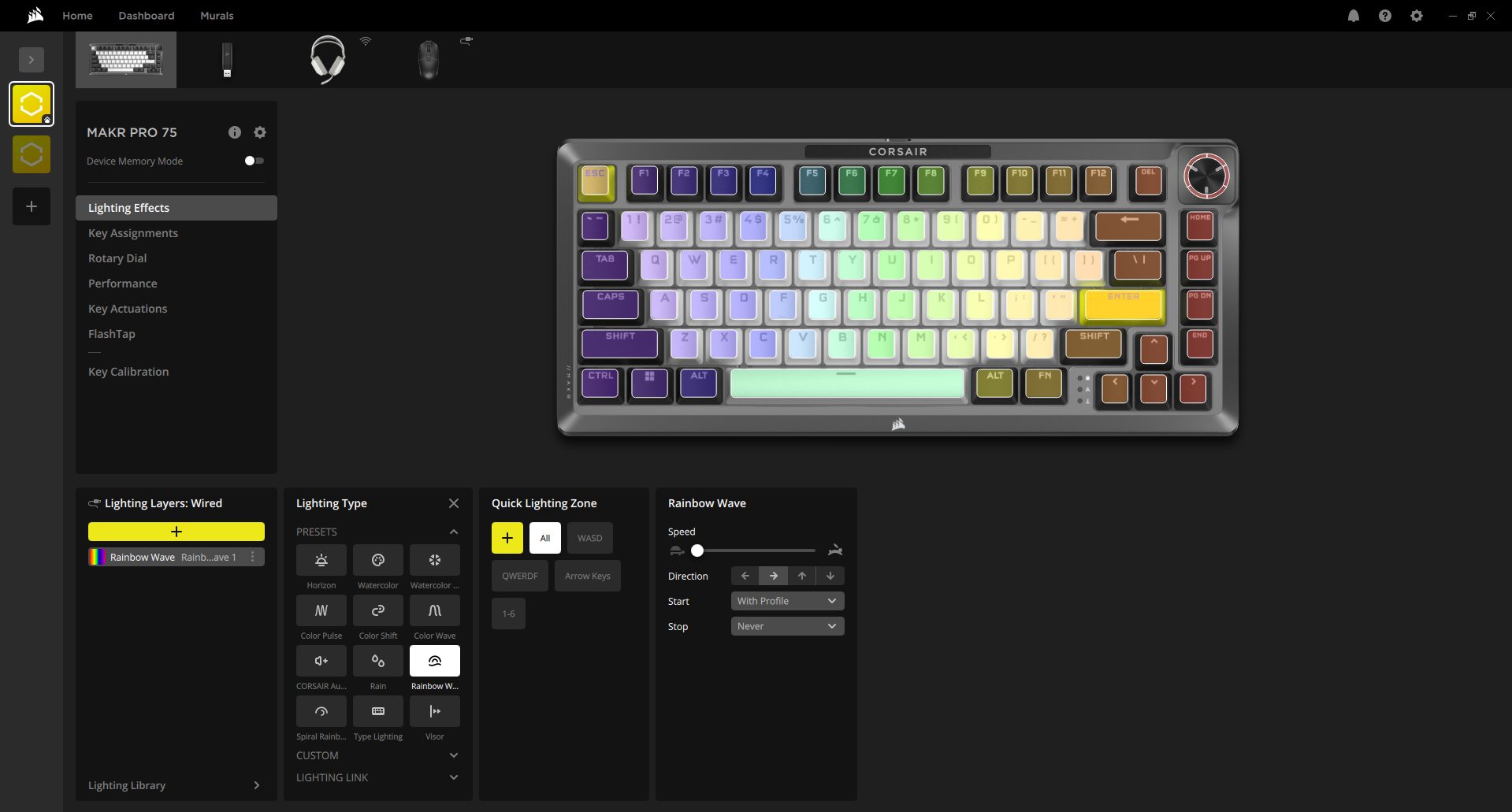
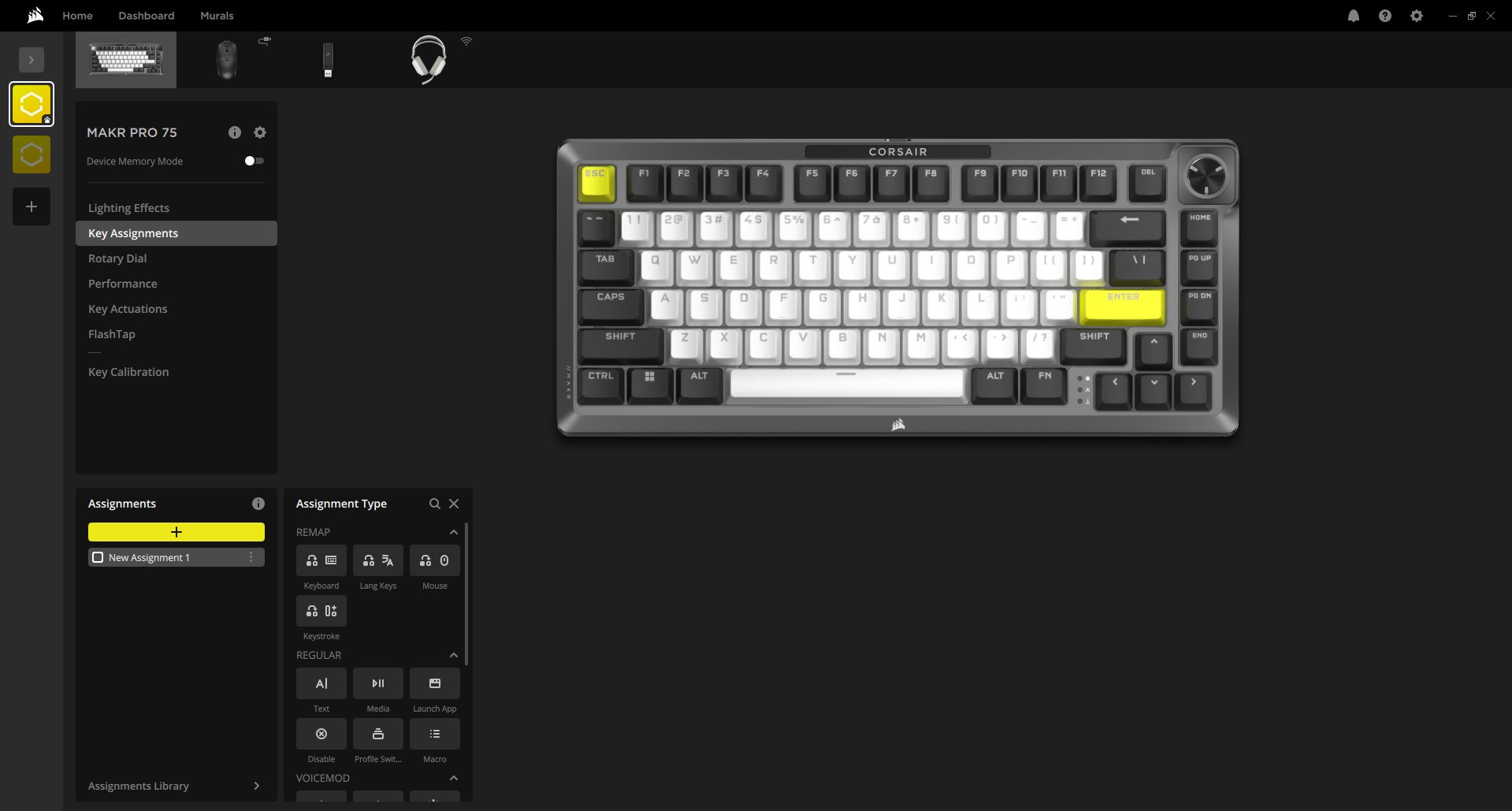
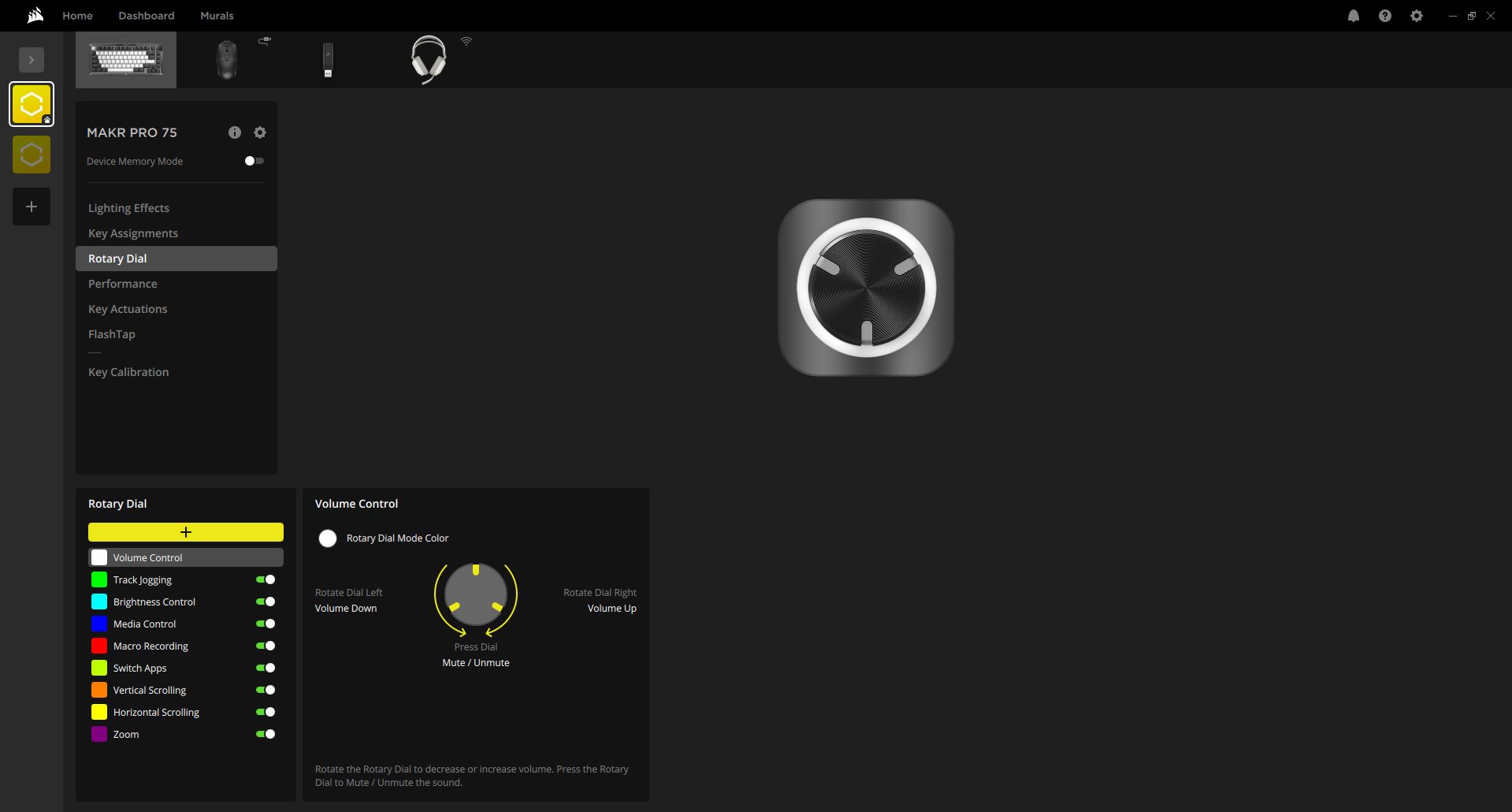
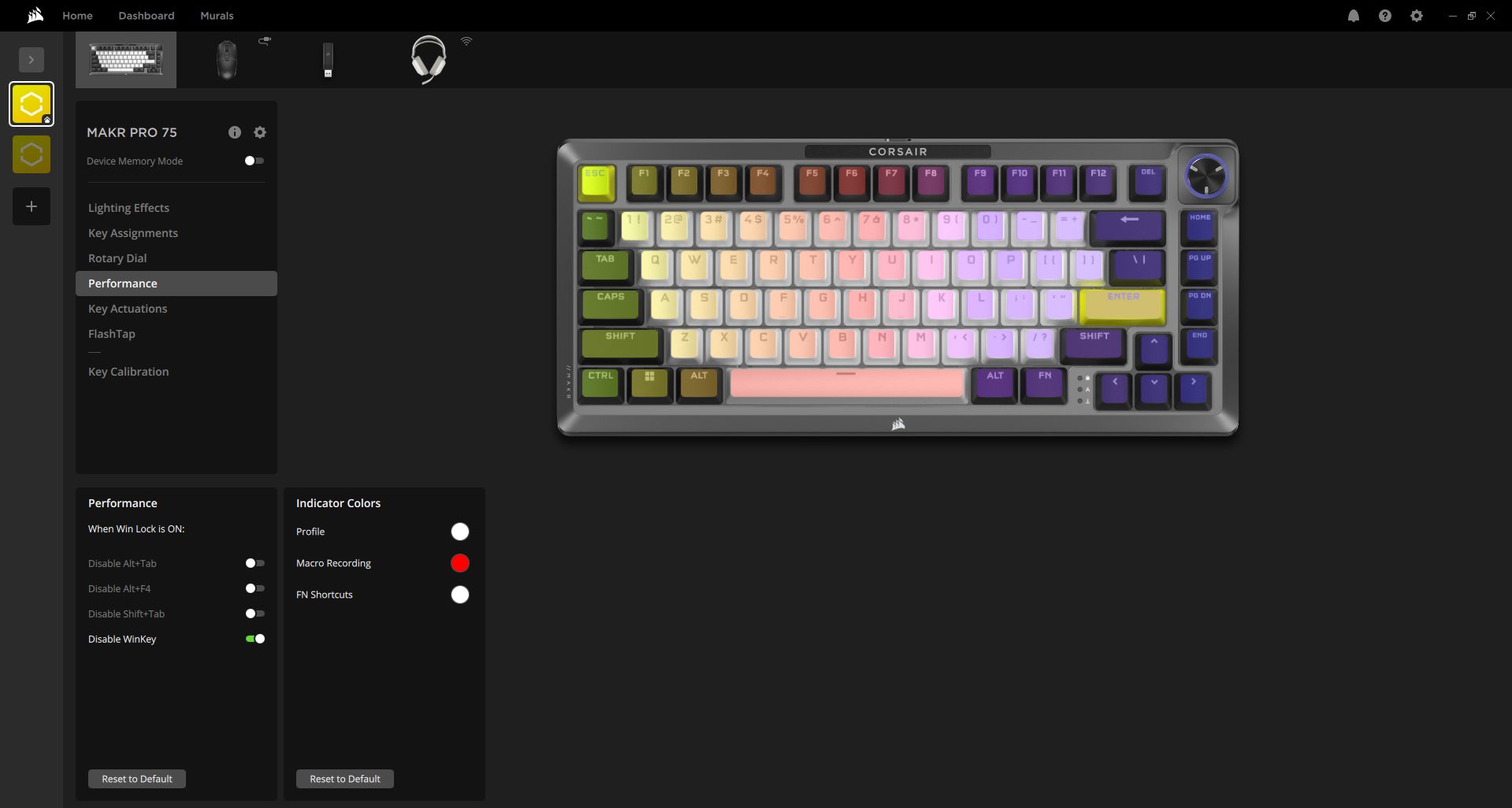
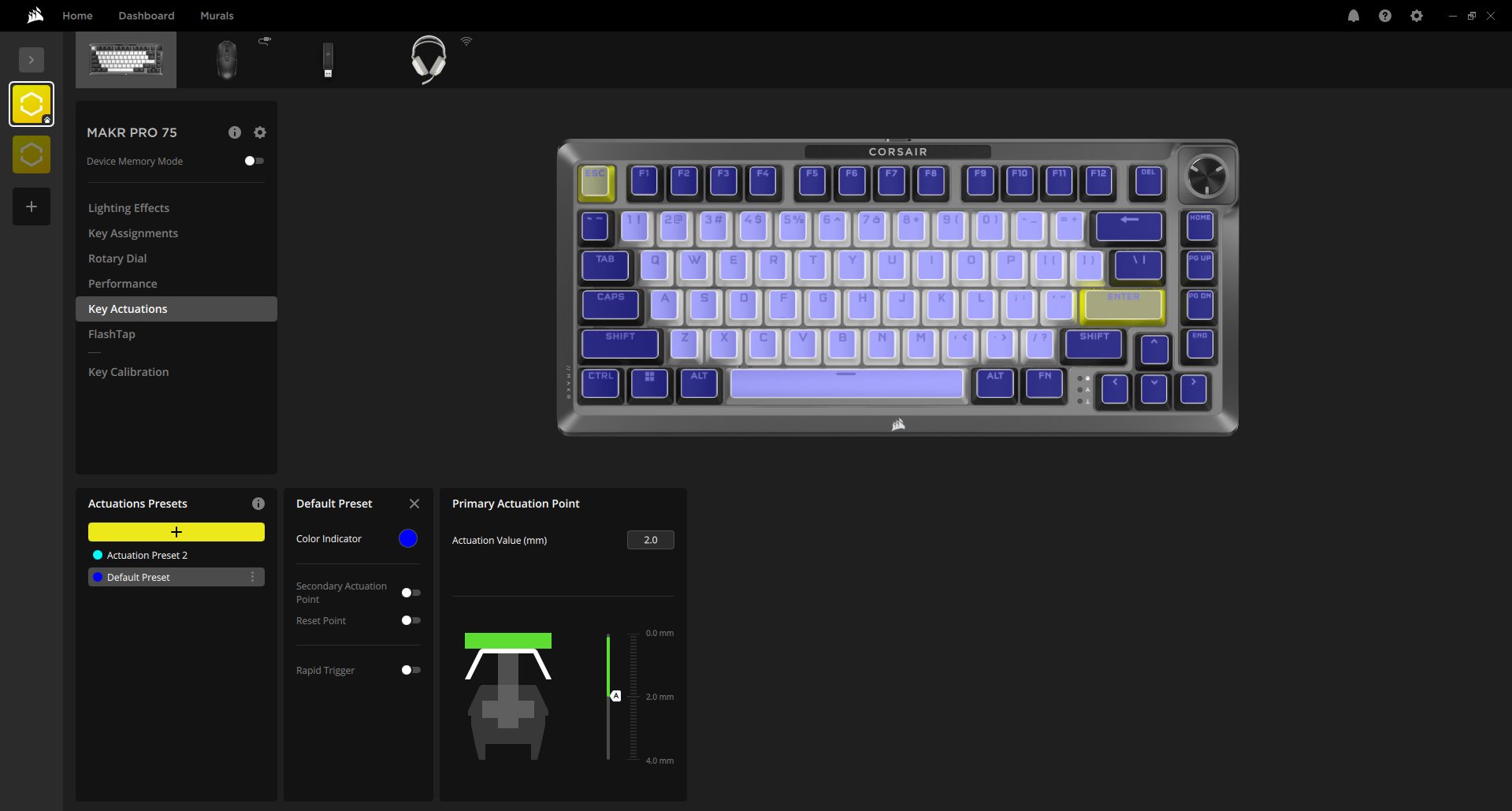
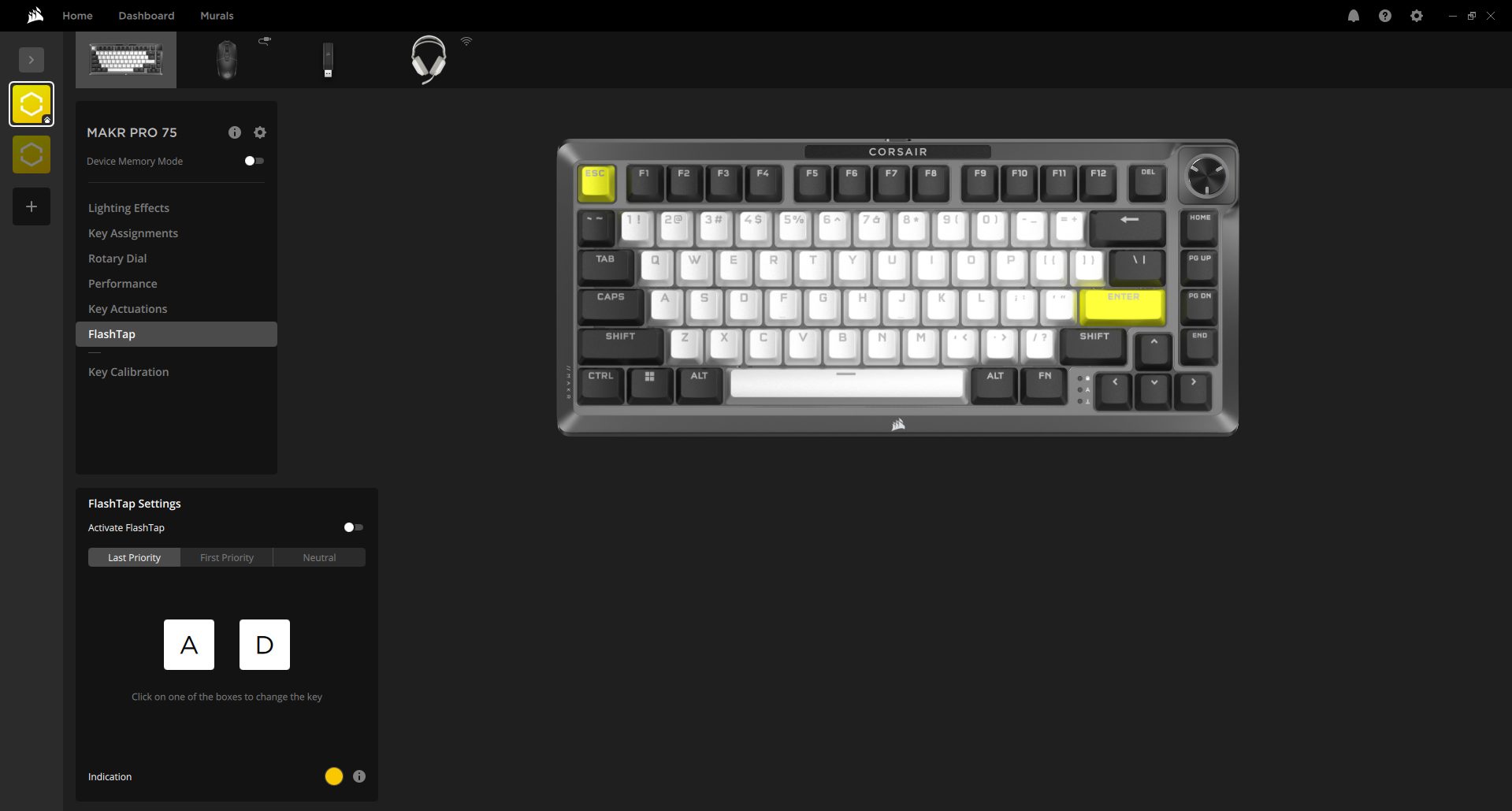
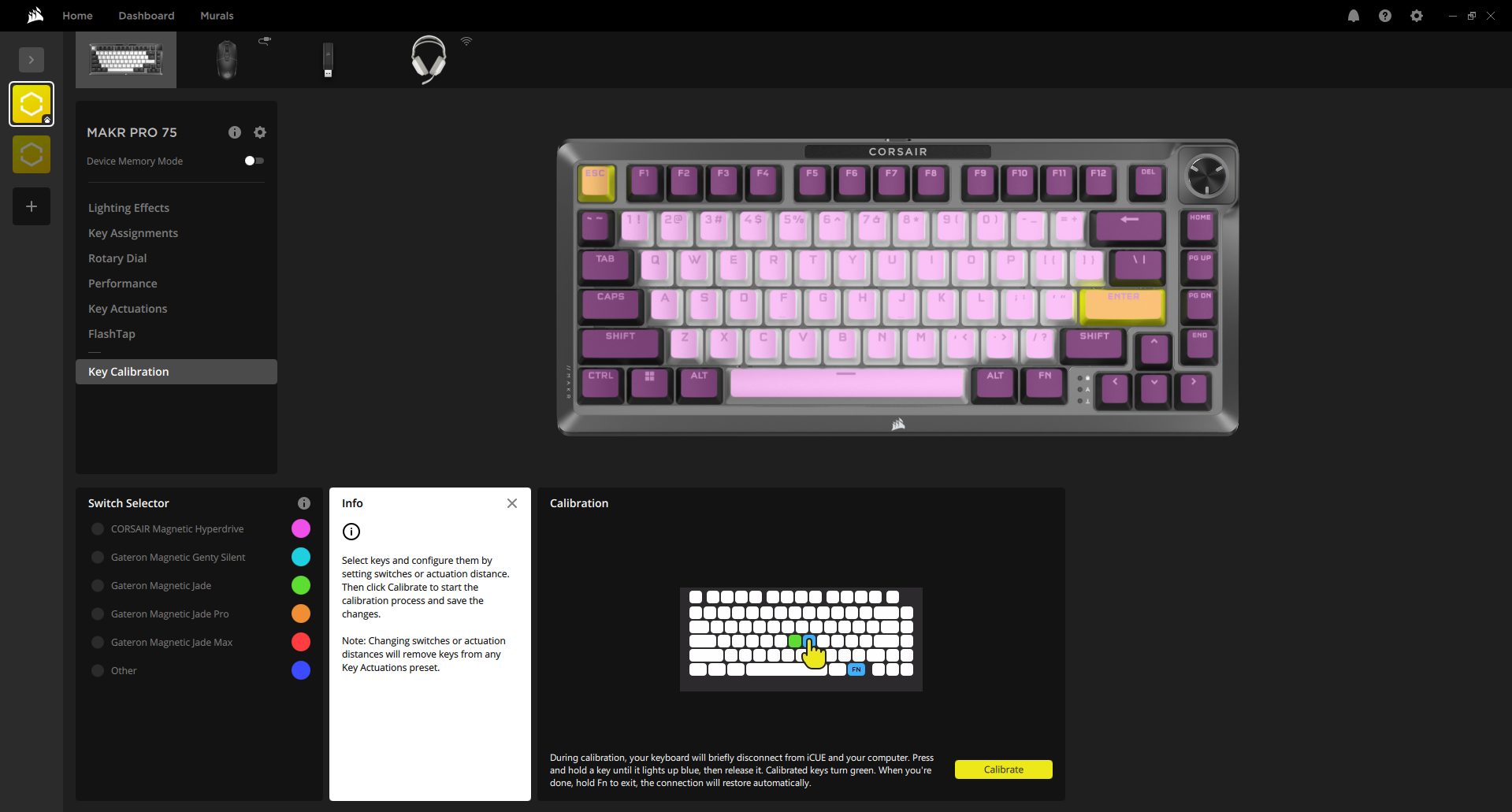
The Corsair MAKR PRO 75 works with two different software programs. You can use Corsair iCUE, a desktop software, or use the Corsair Web Hub, which runs directly in your browser. That second option is interesting. You plug the keyboard in, open the Web Hub page, and it’s automatically detected. There is no installation or anything running in the background. If you don’t want another program sitting in your system tray, that’s a practical alternative.
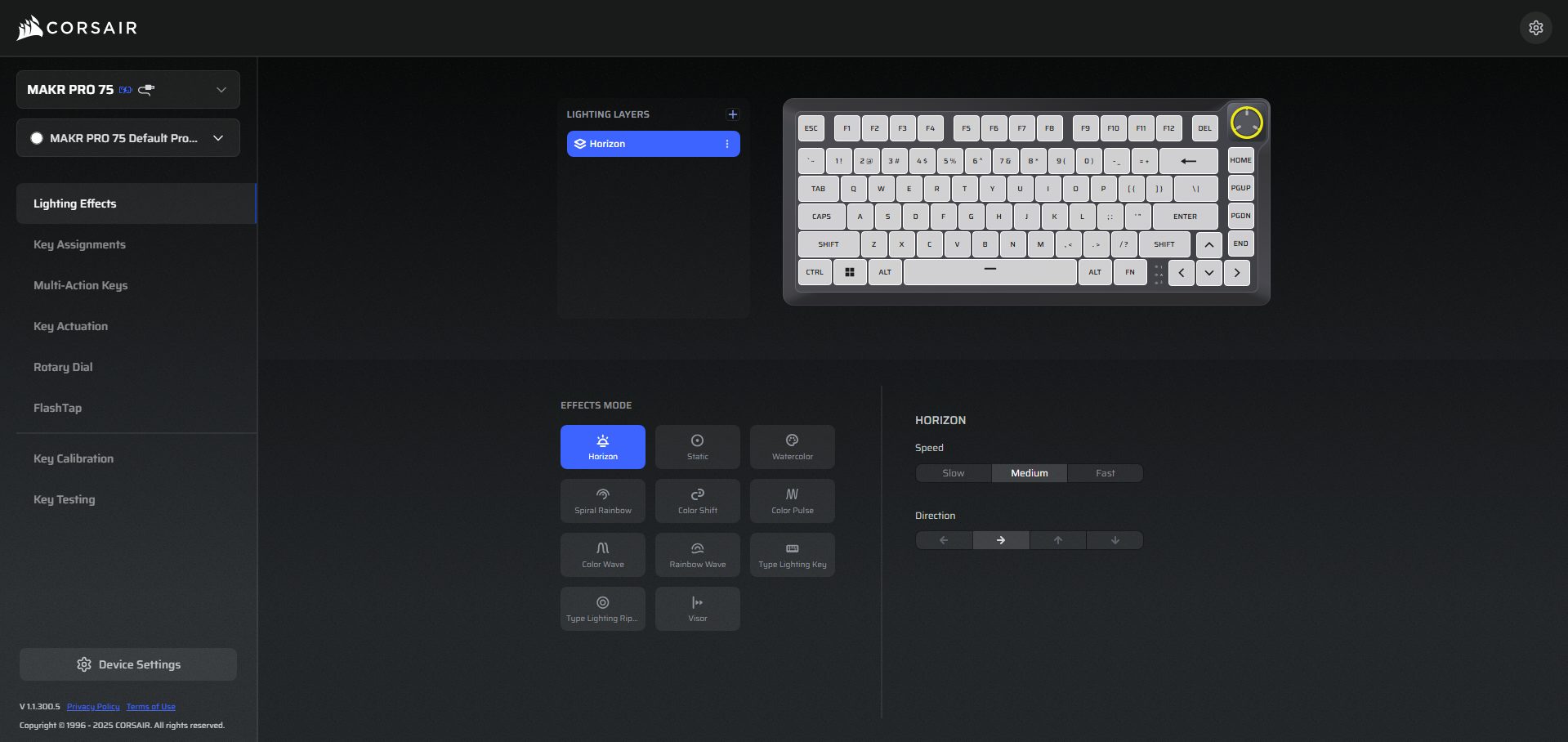
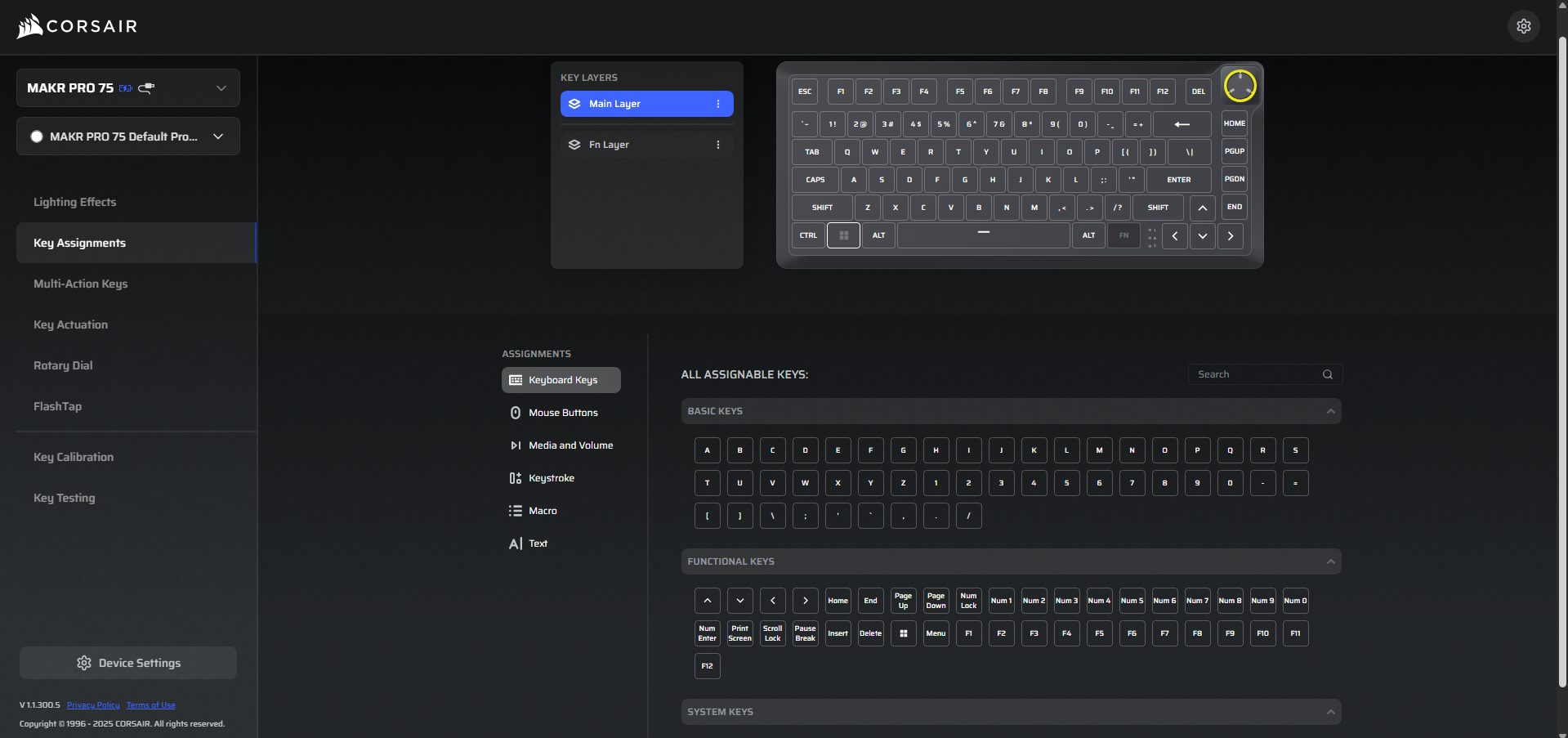
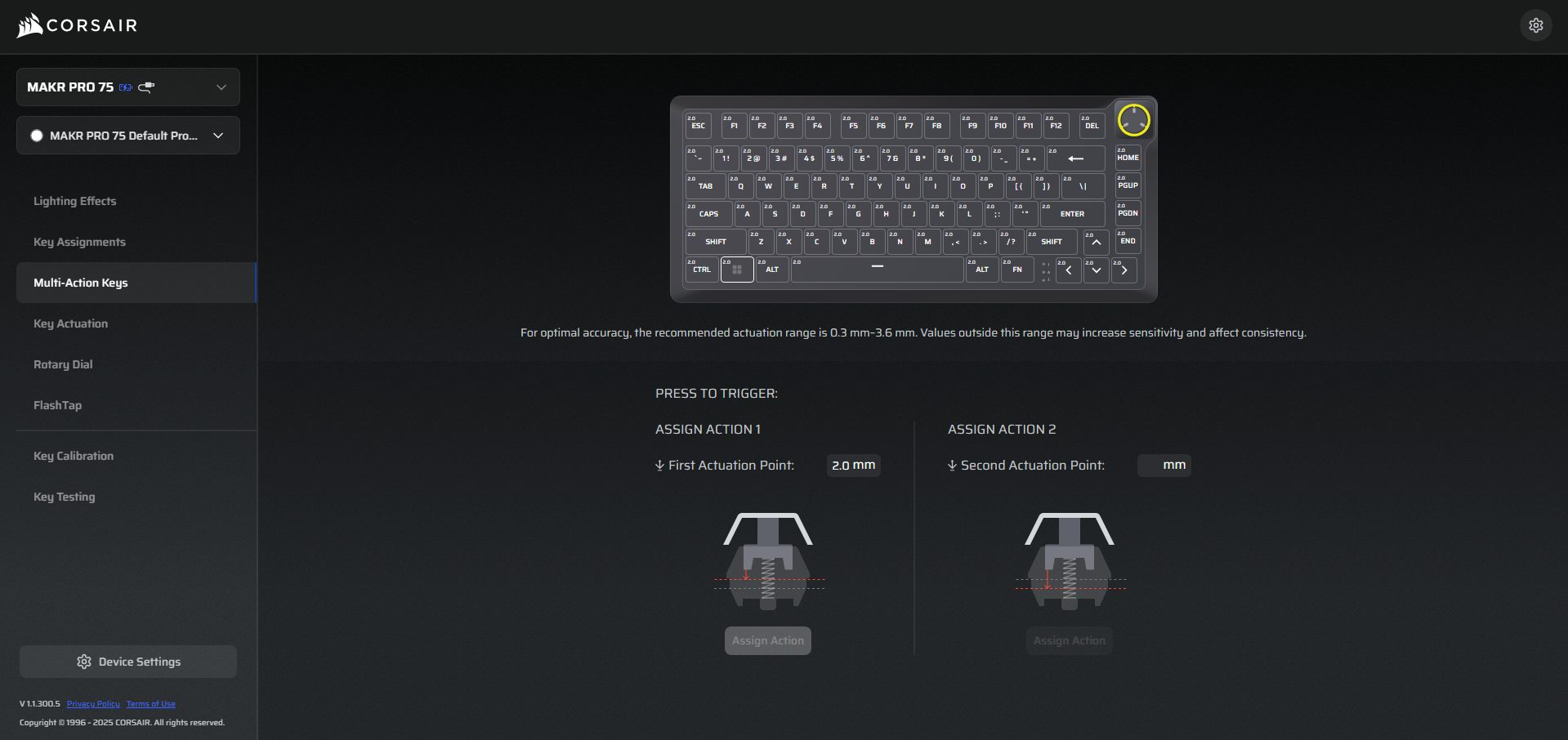
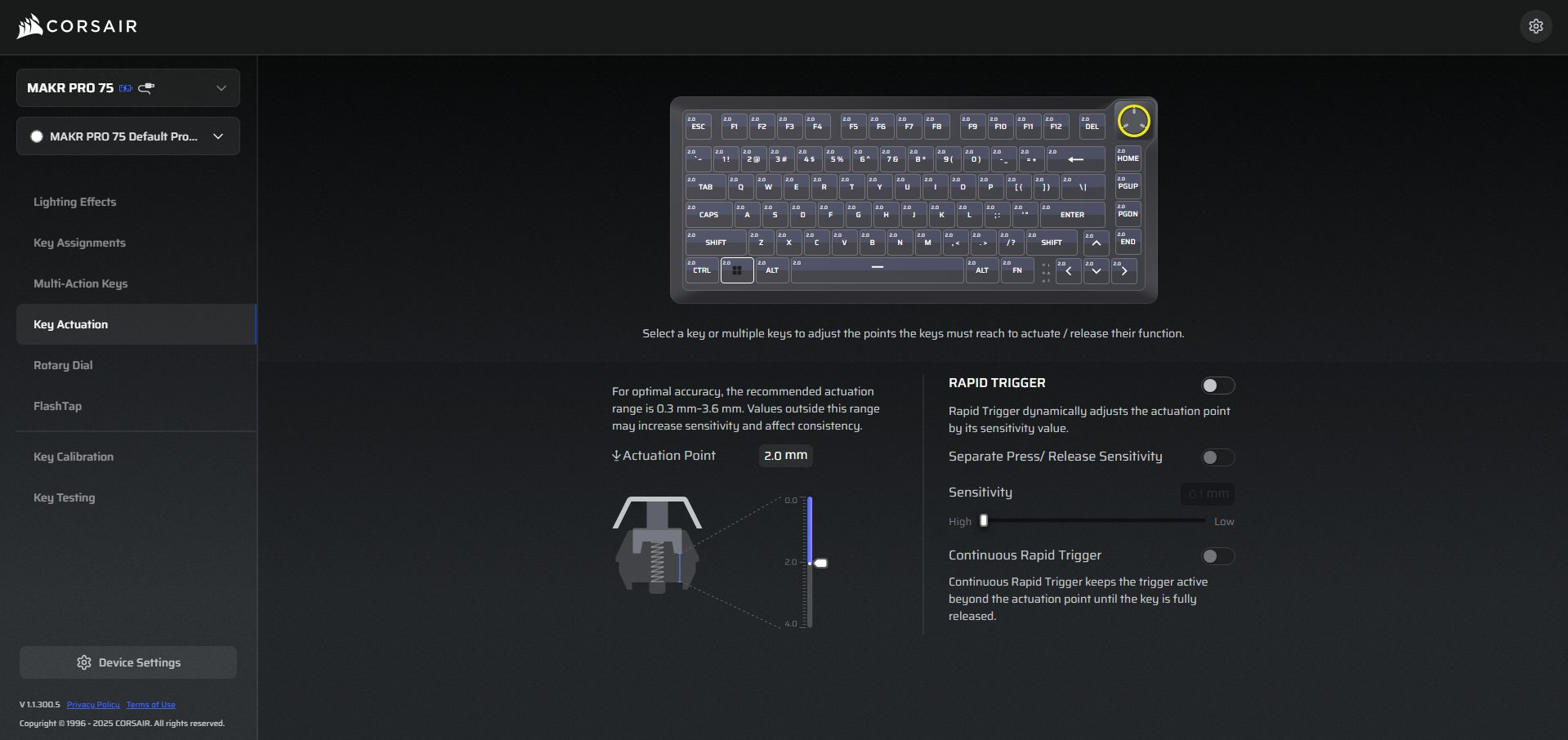
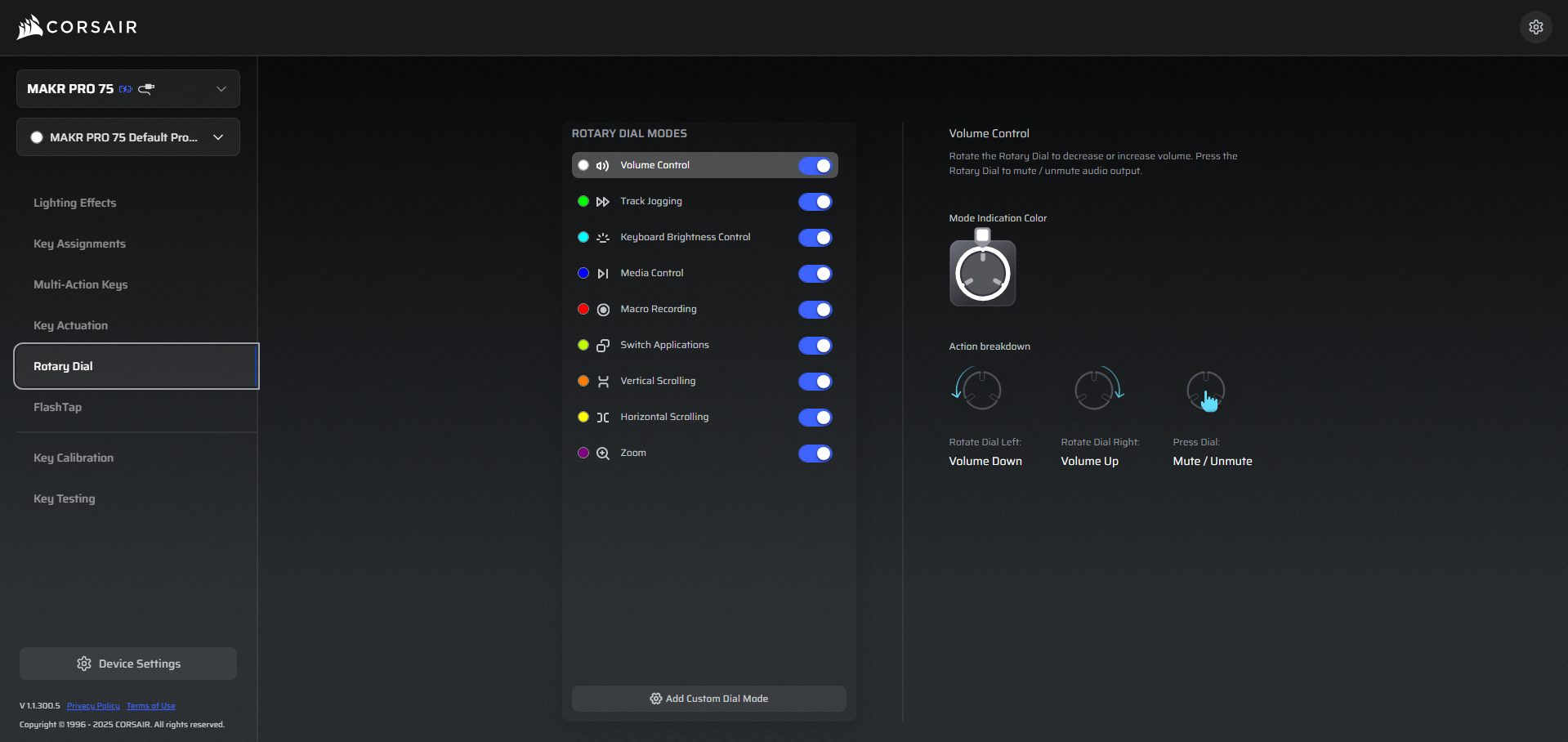
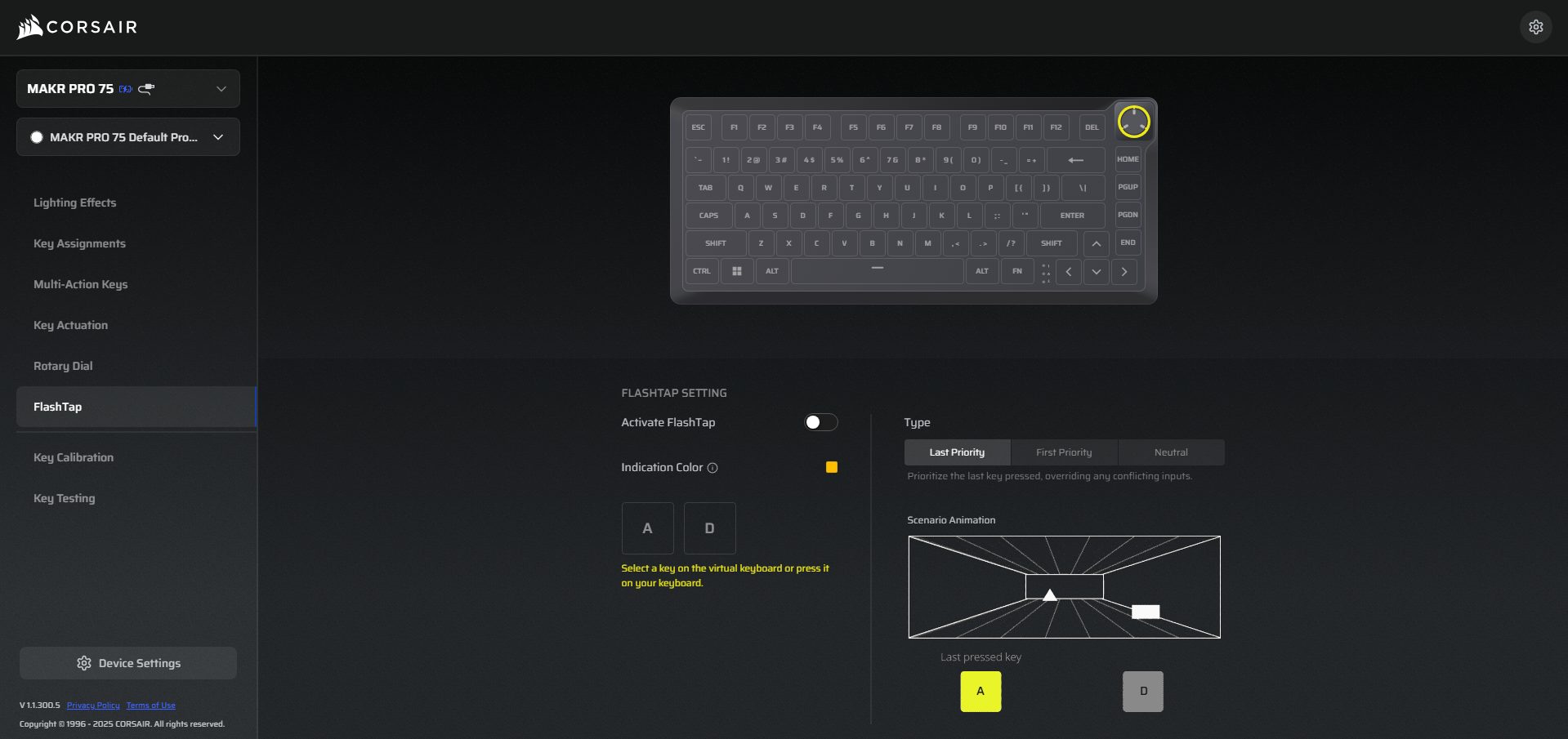
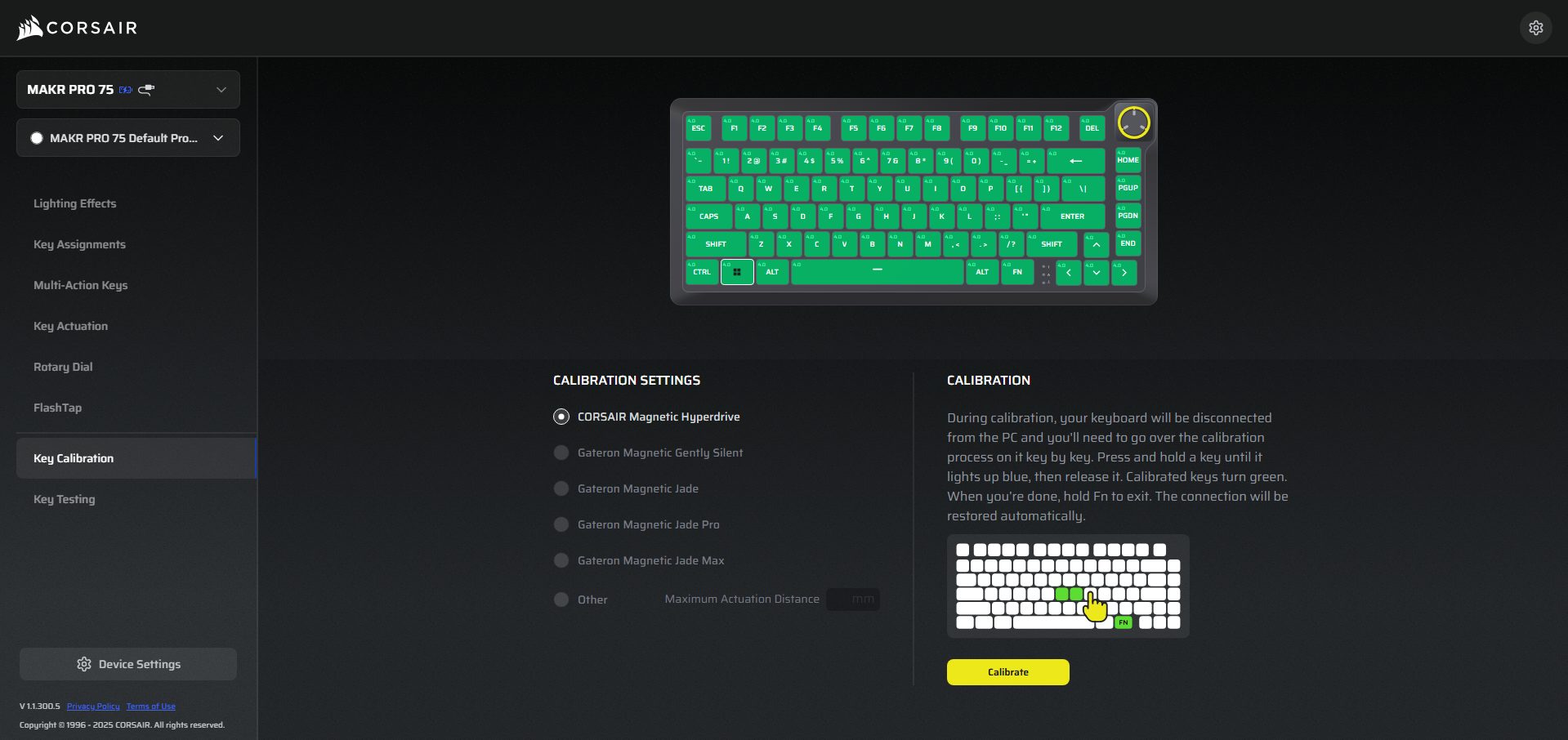
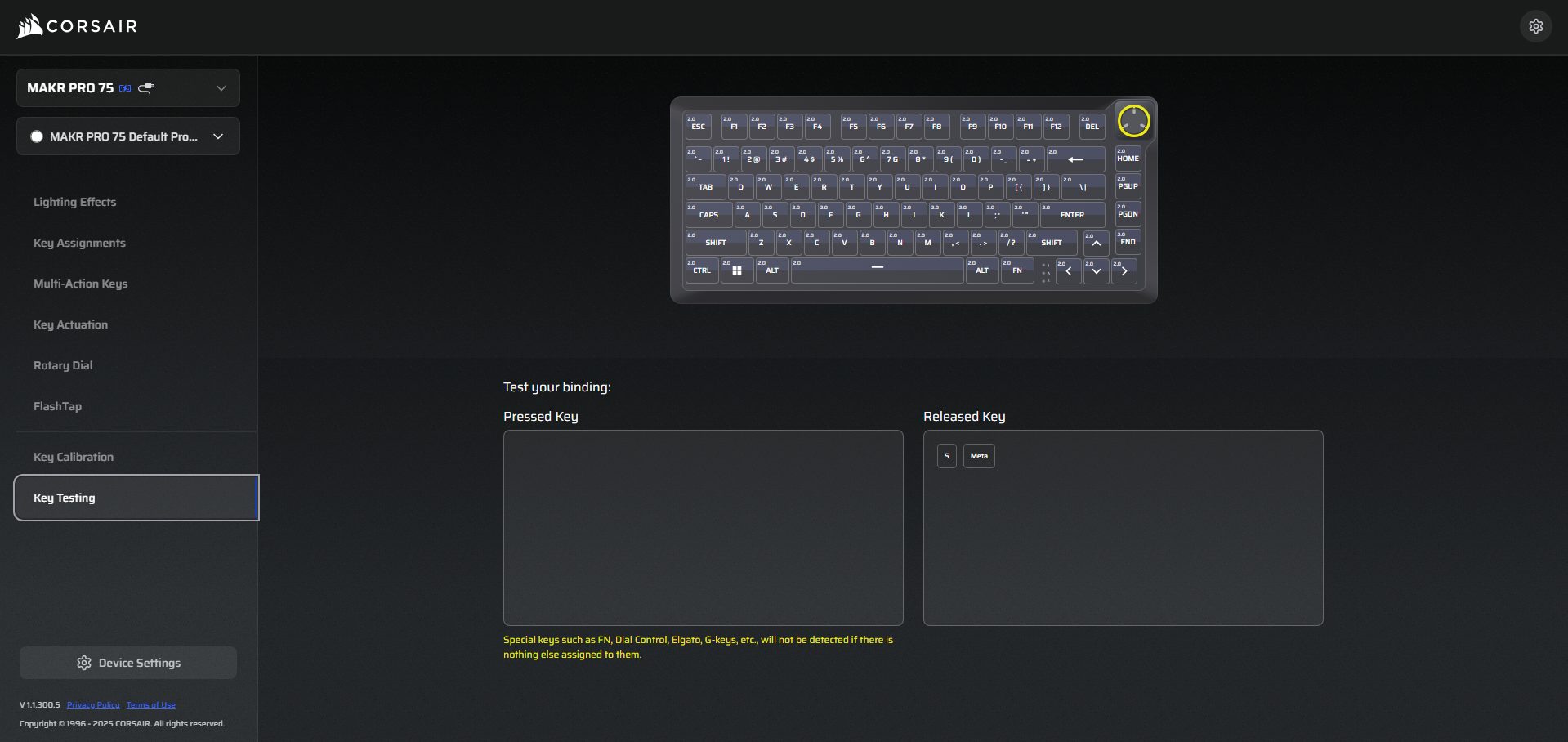
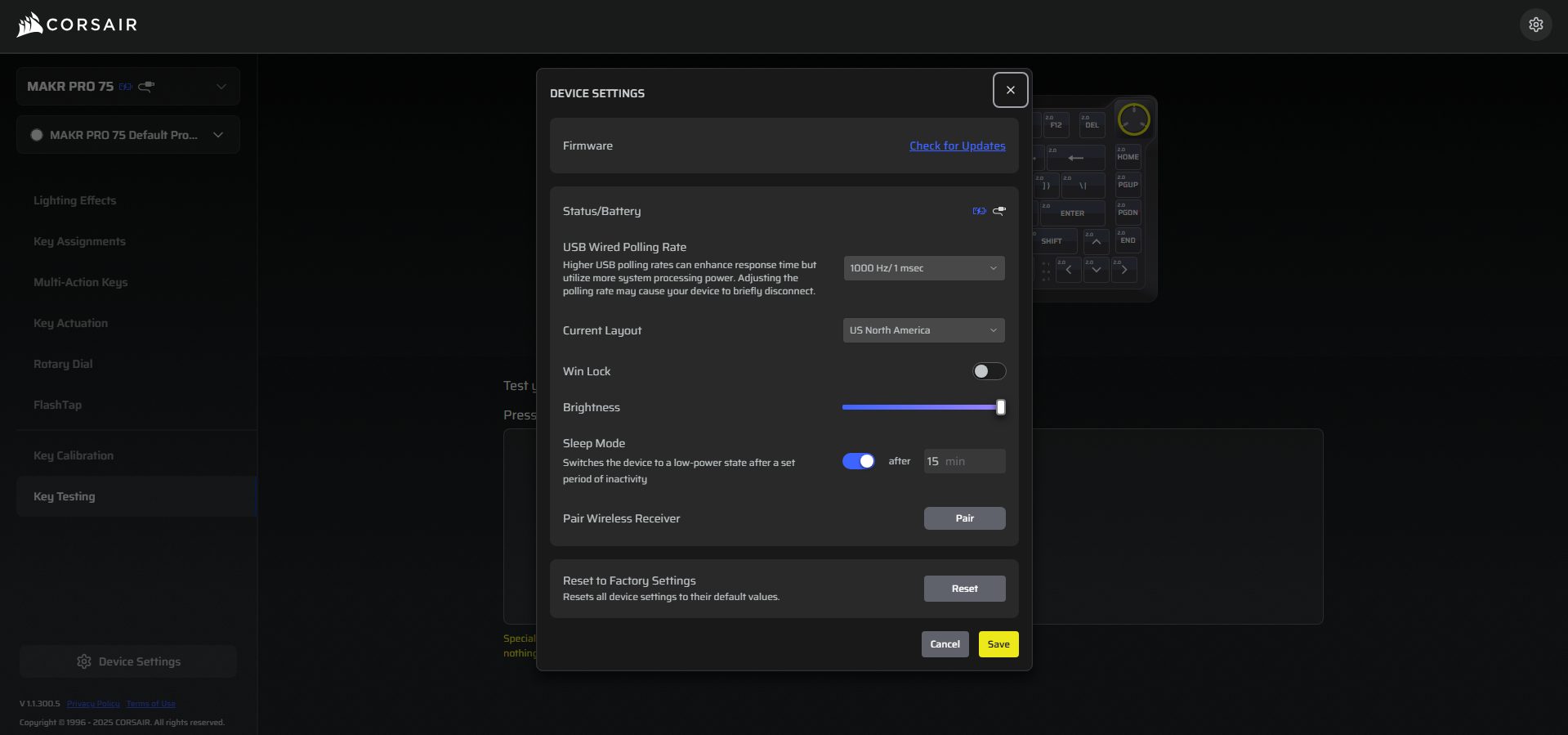
Once inside either interface, the layout revolves around sections rather than a single giant dashboard. You’ll see tabs for Lighting Effects, Key Assignments, Multi-Action Keys, Key Actuations, Rotary Dial, FlashTap, and Key Calibration. It doesn’t feel cramped, but it does feel dense at first glance. The features of Web Hub and iCUE are similar. iCUE feels heavier and more integrated if you use other Corsair hardware. In comparison, Web Hub is for quick adjustments.
Should You Buy it?
Buy it if
✅ You want a premium Hall Effect keyboard with deep customization: The Corsair MAKR PRO 75 HE DIY offers adjustable actuation from 0.1mm to 4.0mm, Rapid Trigger support, and per-key tuning. If you enjoy dialing in how each key behaves rather than relying on fixed switch behavior, this keyboard gives you that level of control.
✅ You care about build quality and typing acoustics: The full aluminum construction and eight-layer internal sound-dampening stack give the keyboard a dense feel and a controlled typing sound. It doesn’t feel hollow or lightweight, which makes it more satisfying for both long writing sessions and gaming.
Don’t Buy it if
❌ You’re looking for a budget or mid-range keyboard: At $249.99, the MAKR PRO 75 HE sits firmly in the premium category. If you only need a good typing keyboard without advanced magnetic switch features, there are many cheaper alternatives.
❌ You want wireless connectivity out of the box: The keyboard ships as a wired device by default. Wireless support requires purchasing an additional module, which increases the overall cost.
Final Verdict
After living with the Corsair MAKR PRO 75 HE DIY for a while, I don’t think of it as a flashy Hall Effect experiment. It feels engineered first and marketed second. That difference shows up in many places over the keyboard. Performance is where the “PRO” label starts to make sense. The premium feel is there, but it’s not in-your-face. Now the harder question. Is it worth the $249.99 cost?
If you care about adjustable actuation, magnetic reset behavior, high polling rates, acoustic tuning, and software-level control, the value becomes easier to understand. If you’re curious about how different keyboards compare across categories, we’ve already covered several options in our roundup of the best gaming keyboards, where we tested a variety of models across different price ranges and use cases.
Thank you! Please share your positive feedback. 🔋
How could we improve this post? Please Help us. 😔

[Hardware Reviewer & Editor]
After many years of exploiting various pieces of hardware, Abdul Hannan now serves as an editor at Tech4Gamers. He’s been in the PC hardware reviewing industry for almost a decade, and his staff of passionate geeks and reviewers is second to none.
Abdul Hannan is constantly seeking new methods, you will always see him running into New Computer Courses to improve the performance of his computer components since he is an ardent overclocker. He is well-known for providing the most extensive and unbiased analysis of the newest and greatest hardware for PC gaming, including everything from GPUs to PSUs.
 Join Our Community